

Smart meeting rooms are shifting from multi-device setups to integrated system models. With BOE, the focus is on a glass-based COG P0.9 MicroLED display combined with an AI Video Bar for framing and sound source localization. Instead of merely asking about screen size, businesses should inquire if the system enhances meeting clarity, reduces errors, and maintains room aesthetics. This perspective is crucial for projects involving boardrooms, command centers, private cinemas, and high-end commercial spaces.
If a foundational understanding of the technology is needed before diving into solutions, the article What is BOE BYH-COG: Chip-on-Glass LED? is a suitable starting point. For those primarily concerned with selecting pixel density for meeting rooms, consider reading LED Display for Meeting Rooms: Choosing Pixel Pitch to avoid choosing P0.9, P1.x, or large configurations based solely on a perception of premium quality.
!BOE COG P0.9 + Video Bar Meeting Display
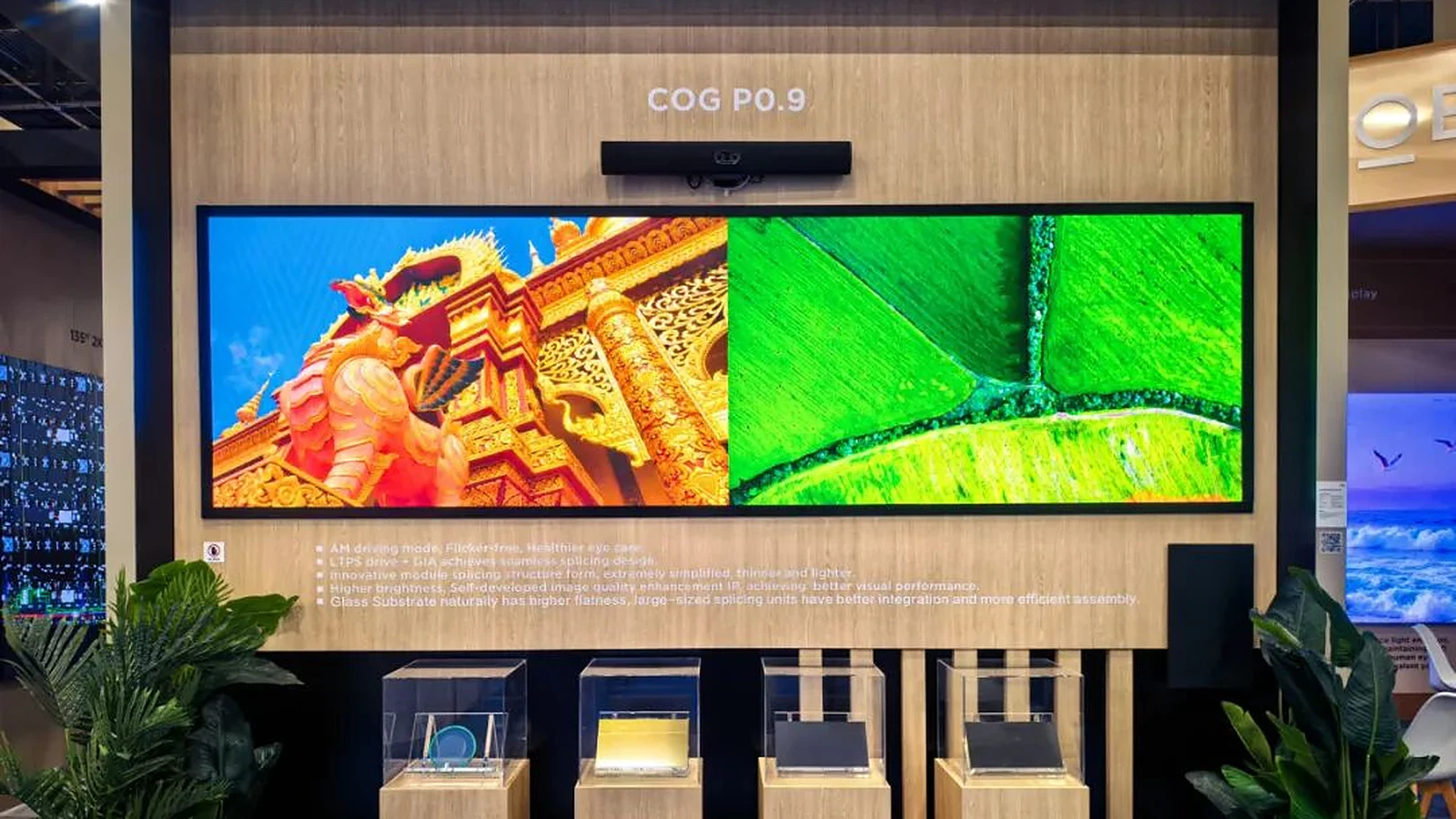
What is the COG + BOE Video Bar Smart Meeting Room?
The COG + BOE Video Bar Smart Meeting Room is a configuration that combines a glass-based MicroLED display with an integrated meeting bar featuring a camera, microphone, speaker, and AI for framing. The P0.9 COG display creates a large, flat, and seamless presentation space, while the Video Bar handles the audio-visual aspects of online meetings. Both components serve a single objective: to reduce the number of separate devices while maintaining a professional collaborative experience.
In many traditional meeting rooms, clients must install separate displays, cameras, speakers, microphones, conferencing computers, signal processors, and extensive cabling. While this approach offers flexibility, it also creates numerous potential failure points: incorrect signal ports, device desynchronization, misaligned cameras, uneven audio pickup, exposed wiring, or difficult maintenance. BOE's solution takes a different direction by integrating the COG display and Video Bar into a unified design, resulting in a more streamlined and manageable meeting room.
The key is that "smart" should not be interpreted as a generic technology label. Here, intelligence lies in the system's ability to automatically frame participants, localize sound sources, and create a more natural meeting feel. For premium meeting spaces, the large visual display is only half the experience; the other half is ensuring remote participants can clearly see who is speaking, hear the content distinctly, and avoid waiting for technicians to resolve basic issues before each session.
Why is the BOE P0.9 COG Display Suitable for Premium Meeting Spaces?
BOE's COG display utilizes a glass substrate, has a thickness of approximately 5-6mm, features 23.1-inch modules, supports 3000 nits HDR, and achieves seamless splicing with GIA. These specifications indicate that the product is designed not just to replace projectors or large LCDs, but to create a thin, flat, and visually clean display surface. In premium meeting rooms, thickness and seamlessness directly impact interior design, viewing angles, and the professional impression upon entering the room.
The glass substrate is the primary differentiator of COG compared to many familiar LED structures. By placing LED chips on a glass substrate, BOE can emphasize flatness, a seamless surface, and a thinner MicroLED structure. For boardrooms or strategic reception areas, the display is more than just a presentation tool; it's an integral part of the room's architecture. A thin display wall with minimal visible seams and without numerous surrounding equipment clusters often creates a cleaner aesthetic than a collection of separately installed AV devices.
The COG display is also well-suited for common meeting content, including data charts, strategic documents, blueprints, dashboards, maps, and video calls. These content types require clear small text, stable lines, and colors that are comfortable for prolonged viewing. For detailed product line information, the BOE BYH-COG page should be cross-referenced with the room layout, seating distance, and actual usage purpose, rather than selecting solely based on pitch specifications.
!Eye-friendly COG Display for Meeting Rooms
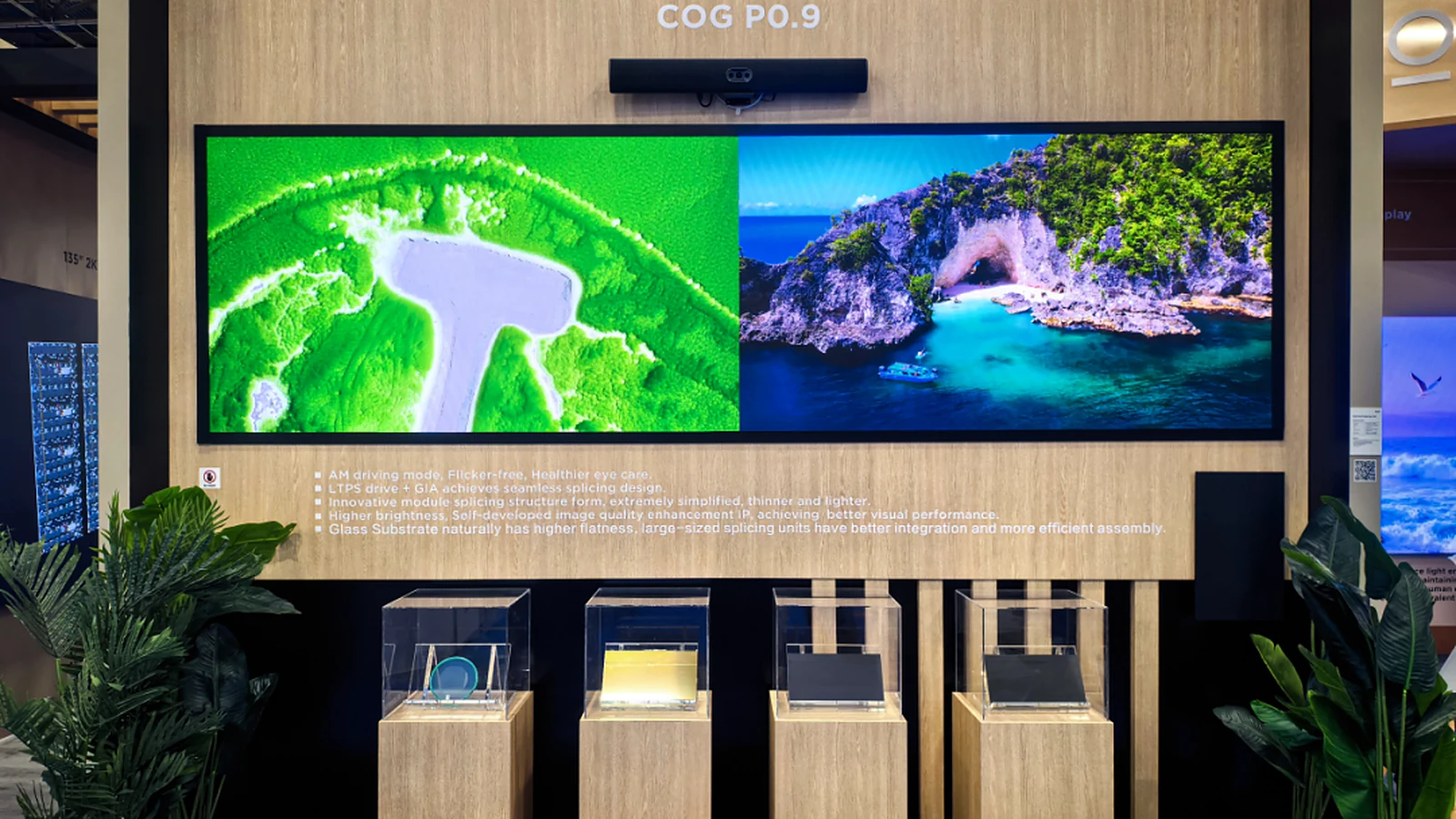

How Does the BOE Video Bar Address Visual and Audio Aspects?
The BOE Video Bar uses a Qualcomm QCS8550 chip and supports two critical functions for meeting rooms: AI auto-framing and sound source localization. Auto-framing allows the camera to automatically adjust its frame based on participants or the active speaker, while sound localization helps the system pinpoint the direction of sound for clearer audio capture. For meetings with remote participants, these features are crucial for making them feel truly present rather than just observers of a distant room.
While standalone conference cameras can offer good image quality, they often require precise placement, angle adjustments, and coordination with microphones, speakers, and conferencing computers. When these devices come from different manufacturers, the user experience can become fragmented. The integrated Video Bar reduces the number of devices to configure and ensures that audio and video are processed with a unified logic. This is particularly beneficial for executive meeting rooms where quick, error-free meeting starts are essential.
However, the Video Bar should not be seen as a replacement for all specialized audio configurations. Very long rooms, high ceilings, rooms with many reflective surfaces, or complex recording requirements may still necessitate acoustic surveys and additional supporting equipment. The Video Bar's role in the BOE solution is to provide a compact, intelligent, and synchronized core for collaboration with the COG display; other components should be selected based on room size, seating capacity, and meeting habits.

What are the Benefits of an Integrated Solution Over Separate Components?
The primary benefit of an integrated configuration is the reduction in the number of devices and potential failure points. A separate component setup can be powerful, but more devices mean more synchronization requirements: power sources, signal cables, firmware, controls, audio, cameras, processors, and maintenance schedules. With COG + Video Bar, BOE offers a more streamlined system suitable for rooms requiring stable operation without turning every meeting into a technical check.
The second benefit is seamless aesthetics. Premium meeting rooms often have strict interior design requirements: clean walls, minimal visible wiring, unobtrusive devices, cameras that don't appear makeshift, and displays that complement the room's layout. The approximately 5-6mm thick COG display combined with the Video Bar creates a design that looks intentional, rather than a collection of devices added after the room's completion. This is a significant consideration for executive offices, boardrooms, and strategic reception areas.
The third benefit is clearer technical responsibility. When the display, camera, and audio conferencing are designed as a system, the integration team can verify the entire operational flow from signal input to user experience. Clients can also ask more pertinent questions: Is the audio clear for remote participants? Does the camera track the speaker? Is small text legible? Does the display cause eye strain? What is the support process for errors? This approach evaluates the system, not just individual components.
!COG Solution Experience at InfoComm
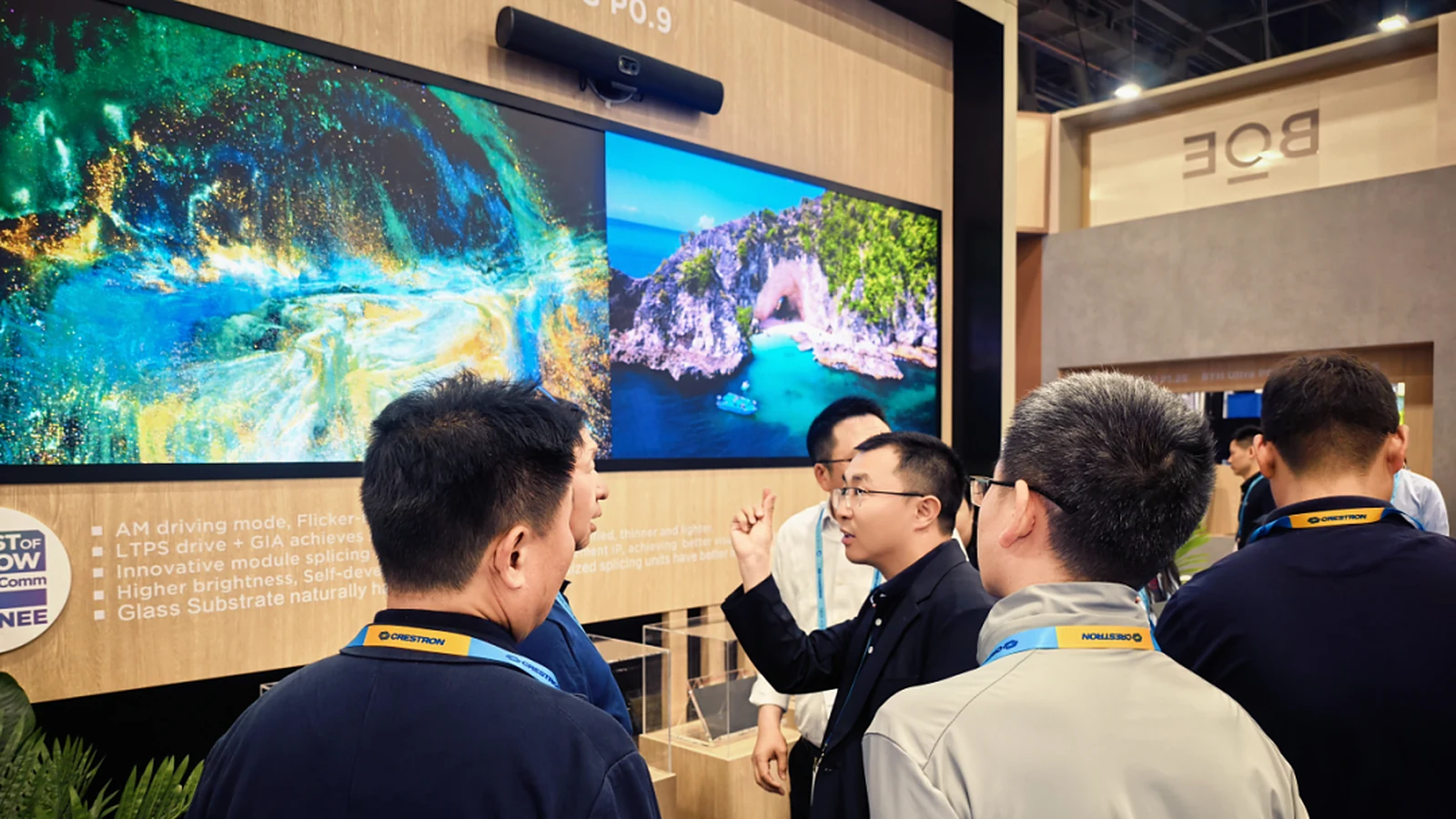
Which Projects Should Consider This Configuration?
The COG + Video Bar configuration is most suitable for premium meeting rooms, boardrooms, command centers, private cinemas, and commercial complexes that require a large yet compact display. The commonality among these spaces is that users view the screen for extended periods, requiring clear visuals, stable remote conferencing, and a clean aesthetic. These projects prioritize a reliable daily experience over simply maximizing display area.
For command centers, the COG display can present dashboards, maps, camera feeds, and operational data, while the Video Bar facilitates communication with remote teams. If 24/7 operation is a primary concern, review the command center application group for insights into room lighting, viewing distances, signal sources, and shift management. An integrated configuration is advantageous when a room needs to accommodate meetings, data presentation, and maintain a clean environment for critical work sessions.
For private cinemas or commercial complexes, aesthetic appeal and a seamless experience become more prominent. The thin glass-based display reduces the industrial equipment feel, while the Video Bar can support presentations, private meetings, or internal events. However, each space has different priorities: private cinemas require attention to acoustics and lighting; commercial complexes need consideration for audience flow, operational durability, and integration into the overall interior design.
What to Check Before Selecting COG + Video Bar?
Before selecting the configuration, assess viewing distances, room dimensions, primary seating positions, ambient lighting, display content, and typical participant numbers. The P0.9 COG display is highly appealing for close-viewing spaces, but the correct decision must be based on how the room is actually used. A room primarily for video conferencing, one for dashboard monitoring, and one for private movie screenings will have different criteria, even if they all use large displays.
Next, examine the signal chain and operational workflow. Premium meeting rooms often require connections for laptops, video conferencing systems, fixed presentation sources, room control devices, and sometimes video processors. If the project involves multiple input sources or complex scene switching, evaluate the signal processing layer similarly to how Luxwave analyzes the PixelHue system in the What is PixelHue article series. A beautiful display with an unstable signal chain will significantly degrade the meeting experience.
Finally, consider brand role and maintenance. BOE is transitioning from selling panels to selling systems, and the advantage of a major display panel manufacturer is the ability to integrate glass substrates, MicroLED technology, and integrated design into a single roadmap. However, projects in Vietnam still require an implementation partner who understands room surveys, interior design, acoustics, signal infrastructure, and image acceptance testing. The BOE MLED page serves as a brand reference; the article BOE COG P0.9 Wins Best of Show InfoComm 2026 provides context on the solution's launch.
How is BOE Transitioning from Panels to Systems?
BOE is globally recognized as the number one display panel manufacturer, but its direction within the MLED segment indicates a move beyond simply selling display components. By pairing the glass-based COG P0.9 MicroLED with a Video Bar, BOE is packaging its expertise in panels, LEDs, video collaboration, and meeting room design into a single solution. This reflects the practical demands of the premium market: clients require not just a beautiful screen, but a smoothly functioning room.
This transition holds significance for integrators and clients. If purchasing individual components, the buyer bears most of the risk in coordinating displays, cameras, speakers, microphones, and processors. Opting for a system-based approach shifts the focus to solution capabilities: how well do the components integrate, is operation simple, is maintenance responsibility clear, and can the room's architecture be preserved during upgrades? This perspective is more appropriate for executive-level smart meeting rooms.
For Luxwave, the correct approach is to view COG + Video Bar not as an isolated product, but as a configuration that must be designed for the actual room. Floor plans, viewing distance surveys, lighting assessments, content testing, acoustic evaluations, and signal flow determination are necessary before finalization. When these steps are thoroughly completed, the BOE solution can deliver its true value: fewer separate devices, fewer failure points, seamless aesthetics, and a consistent meeting experience.
Pitfalls
Common mistakes
- Selecting a smart meeting room based solely on screen size while overlooking camera, audio, signal processing, and seating arrangements.
- Treating the Video Bar as a standard standalone camera; in the BOE solution, auto-framing and sound source localization are critical to the meeting experience.
- Focusing only on 3000 nits HDR brightness without verifying operational brightness, room lighting, and long-term viewing comfort.
- Installing multiple separate devices for full functionality without considering aesthetics, cabling, failure points, and technical support procedures.
FAQ
Frequently asked questions
What is the BOE COG + Video Bar Smart Meeting Room?
This is an integrated solution combining a glass-based COG P0.9 MicroLED display with a BOE Video Bar for online meetings, presentations, and collaboration. Instead of separate screens, cameras, speakers, microphones, and processing devices, the system consolidates key components into a more compact configuration suitable for premium meeting spaces requiring aesthetics and stability.
What makes BOE's P0.9 COG display suitable for meeting rooms?
The P0.9 COG display uses a glass substrate, is approximately 5-6mm thick, features 23.1-inch modules, and supports 3000 nits HDR with GIA seamless splicing. The AM護眼 drive focuses on low blue light and flicker-free operation, making it ideal for meeting rooms where prolonged viewing, reading small text, and maintaining stable images during extended sessions are necessary.
How does the BOE Video Bar differ from standalone conference cameras?
The BOE Video Bar is powered by a Qualcomm QCS8550 chip and integrates AI for framing and sound source localization. The camera can automatically track speakers, and the audio system helps identify sound direction for clearer meetings. Its value lies in a unified collaborative experience, going beyond simply replacing a standalone webcam.
Is this solution suitable for boardrooms?
Yes, if the boardroom requires a large, seamless display, a compact setup, clear visuals for document presentation, and a professional online meeting experience. However, it's still advisable to assess viewing distances, room lighting, seating positions, acoustics, and signal infrastructure before finalizing the configuration to avoid selecting based solely on demo images.
Does COG + Video Bar completely replace an entire AV system?
It should not be understood as a replacement for all AV equipment in every project. COG + Video Bar handles the core display, camera, conferencing audio, and integrated experience. Larger rooms, command centers, or multi-purpose spaces may still require processors, signal matrices, additional microphones, or room control systems.
Why is BOE transitioning from selling panels to selling solutions?
BOE's foundation is as the world's leading display panel manufacturer, but the premium market's demand is increasingly for complete systems rather than individual components. With COG + Video Bar, BOE demonstrates a solution-oriented approach: the display, collaboration processing, aesthetic design, and operation are considered within a single framework.
References
- 1.ManufacturerGenuine PixelHue
- 2.NewsPixelHue Facebook
- 3.StandardPixelHue Master Academy Course Materials
- 4.ManufacturerBOE COG
- 5.ManufacturerBOE InfoComm 2026
- 6.ResearchMeeting Room AV Compilation