

When a live event or broadcast studio requires simultaneous display of multiple sources, large screen splicing, and seamless transitions, the device bridging signal sources and the LED screen is the image processor. PixelHue offers a product range from the flagship Q8 module to the P-Series for various scales. This article approaches the topic from an integration engineer's perspective: what to consider when selecting a device, how to handle long-distance signal transmission, audio processing, redundancy and latency, preset control, and how to pair with the display layer. All figures below are sourced from public specifications in Luxwave's distribution catalog, intended to help you accurately estimate system design from the outset.
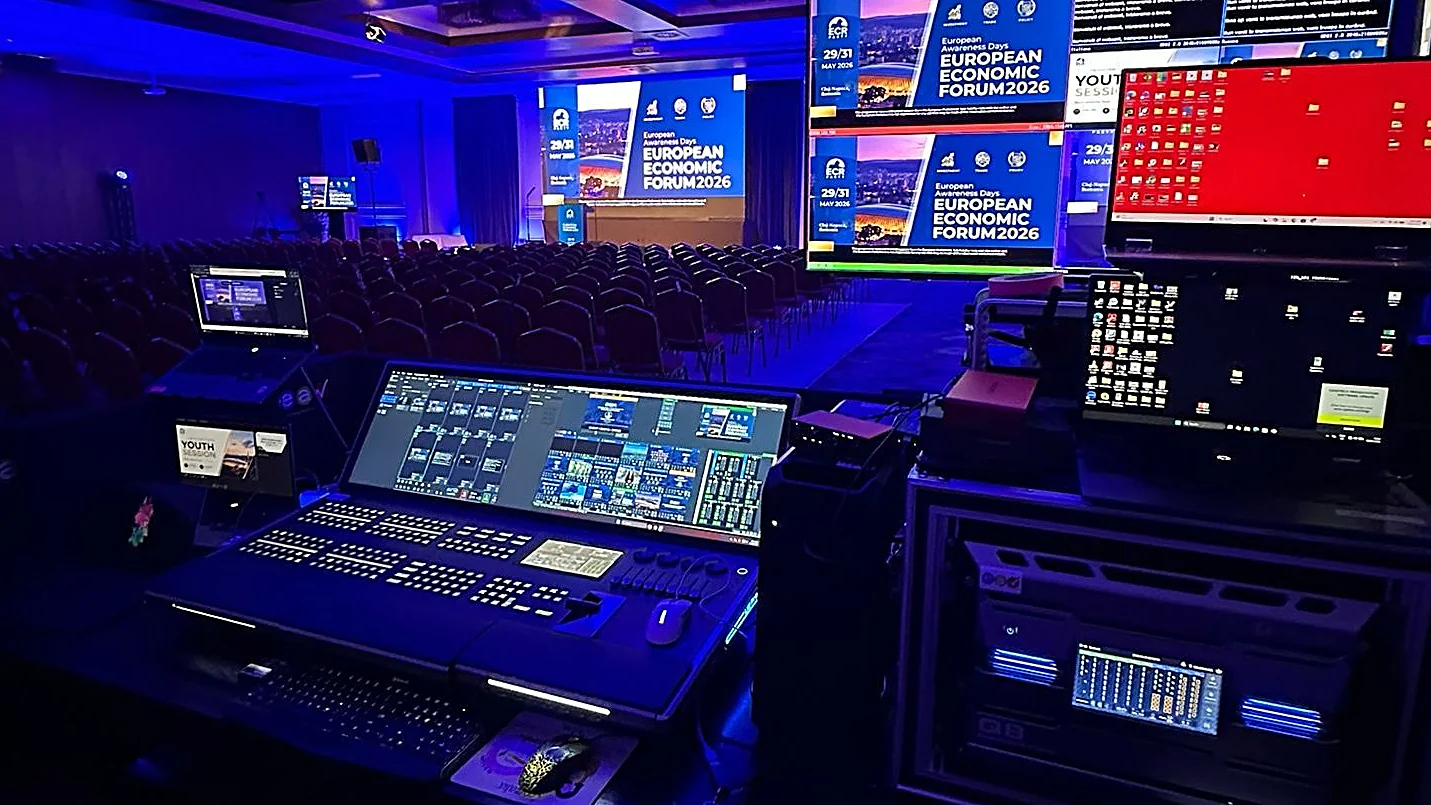
!PixelHue control console at an event *Photo: PixelHue/live event*
Why Do Events and Broadcast Require Dedicated Image Processors?
An event typically involves multiple sources simultaneously: cameras, presentation computers, video playback, and director feeds. A dedicated processor allows layering multiple images onto a single screen, setting unique resolutions for each output port, and performing glitch-free transitions. For broadcast, requirements are even higher regarding color, signal formats, and integration into IP infrastructure. The PixelHue Q8 supports up to 32 4K layers in switcher mode, up to 64 4K layers in splicer mode, and processes video up to 8K, meeting even complex staging scenarios. This capability is beyond what ordinary splitters or scalers can achieve.
How to Choose Between Q8 and P-Series Based on Scale?
Selection should be based on the number of 4K layers to be composited and the output resolution, not just the number of input ports. The Q8 is the flagship module: freely configurable input/output cards, up to 32 4K layers (switcher) or 64 4K layers (splicer), 8K processing, 1024 preset storage, and dual-unit cascading. The P20 serves mid-scale applications with 12 4K inputs, up to 12 layers, and 8K×4K@60Hz splicing. The P10 is even more compact: a 4K×2K@60 switcher or 8K×2K@60 splicer, 6 4K inputs, 6 layers, 4:4:4 10-bit color. The general principle: choose a device with capacity exceeding peak demand to allow for flexibility when additional sources arise.
!PixelHue P20 switcher *PixelHue P20 — distributed by Luxwave. (Photo: PixelHue)*
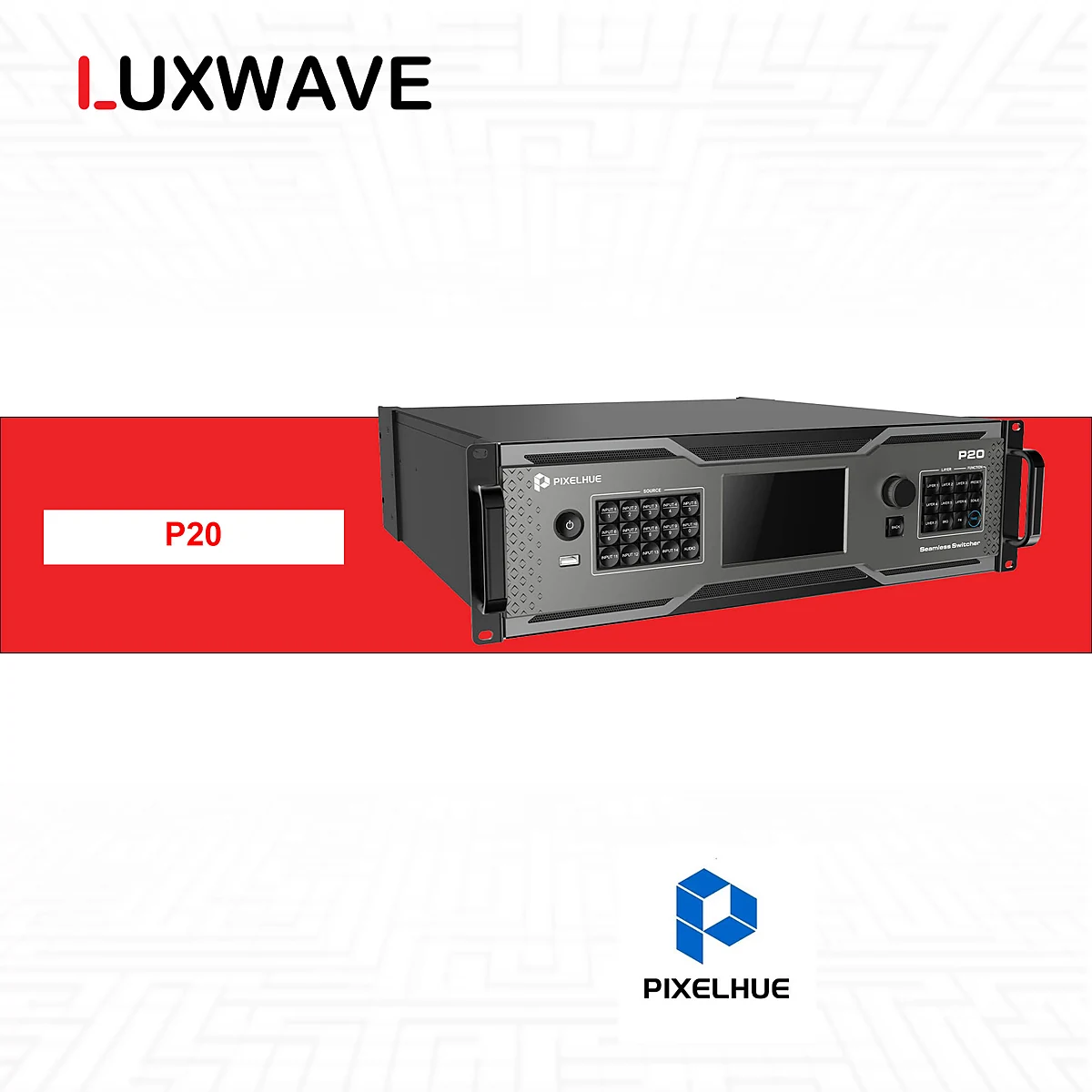
A practical approach is to estimate the event's peak scenario: the number of sources to be displayed simultaneously, the number of layers for picture-in-picture effects, and the largest screen resolution. If these numbers exceed the P-Series capabilities, the Q8 with its 32–64 4K layers and 8K processing is a safe choice; otherwise, a medium-sized conference or stage can often be well-served by the P10 or P20 without unnecessary investment. Maintaining a 20–30% capacity buffer ensures stable system operation when additional sources appear close to showtime.

Long-Distance Signal Transmission via 10G OPT or ST-2110?
In large events, the control room and stage can be tens of meters apart, exceeding the safe limits of copper cables. PixelHue offers two solutions depending on the model. The P10 is equipped with 4 10G OPT fiber ports for stable long-distance transmission, suitable for extending signals between two areas while maintaining image quality. The Q8 supports optional ST-2110 cards in a 4×SFP 25G configuration, with each port carrying a video stream, for integration into modern IP broadcast infrastructure. The choice between point-to-point fiber and ST-2110 depends on whether you are building a standalone system or connecting to an existing IP broadcast network. Fiber optics are preferred for long distances due to less signal attenuation and immunity to electromagnetic interference compared to copper, especially in stage environments with high-power equipment. When the system already has an IP-based broadcast network, the ST-2110 approach allows multiple devices to share the same infrastructure and simplifies routing of multiple streams. Regardless of the choice, it's advisable to test actual distances, fiber types, and receiving equipment before finalizing the plan.
How Do Embedded Audio and Dante Differ Across Models?
This is a common point of confusion during configuration. The Q8 features a 64×64 Dante audio matrix, and each HDMI/DP/SDI port supports 8 audio channels, enabling audio routing over the network alongside video. Within the P-Series, the P20-DS variant adds a 32×32 Dante matrix, while the P10 lacks an audio matrix. Therefore, if the scenario requires embedding and distributing multiple audio channels over a network infrastructure, choose the Q8 or P20-DS from the outset rather than attempting to add it later. If the audio system is separate, the P10 can still handle video processing effectively without incurring extra costs for audio. In large systems, routing audio over the network reduces the number of parallel cables and allows flexible distribution between the stage, technical room, and broadcast area. However, Dante is a configuration decision that should be finalized early, as upgrading audio capabilities after installation is typically more costly and complex than selecting the correct model during the design phase.
What Level of Redundancy and Latency Should Be Considered?
For live signals, there are no second chances, so redundancy must be designed in from the start. The Q8 supports dual-unit cascading, enabling configurations with redundant layers to minimize interruption risks. Storing presets (1024 on Q8, 128 on P10) allows for rapid restoration of configured setups if a mid-program reboot is necessary. In terms of standards, the Q8 supports HDCP 2.2, ensuring compatibility with protected content sources. During design, it's crucial to agree on the primary and backup signal paths early and test the switchover before the event to confirm that the recovery time is within acceptable limits.
How Are Control and Presets Handled?
Live switching demands a stable and intuitive control interface. PixelHue allows control via the PixelFlow software, U5 and U5 Pro physical consoles, or Stream Deck through Companion. Transition types include TAKE, T-bar, and CUT, accommodating both deliberate staging styles and rapid cuts. The Q8 also features 2 MVR outputs for multi-viewer preview, enabling operators to monitor multiple sources simultaneously before sending them to the main screen. Best practice is to pre-configure all presets according to the event script before the event, so that during the performance, presets can be recalled instead of performing complex operations under time pressure.
How Do PixelHue and COB Displays Coordinate?
The processor is only half of the system; the display layer determines the final quality seen by the audience. A recommended, though not mandatory, option is the BOE BYH012 COB display with a P1.25 pixel pitch, offering a color gamut of ≥110% NTSC, a contrast ratio of ≥1,000,000:1 in dark conditions, and a front-maintenance design. When the Q8 unlocks its 8K and multi-4K layer capabilities, a display layer with high contrast and color gamut will fully leverage that signal range. Pixel pitch selection should still be based on the actual viewing distance of the audience to avoid over-investment or lack of detail.
What Technical Capabilities and Implementation Teams Should Be Noted?
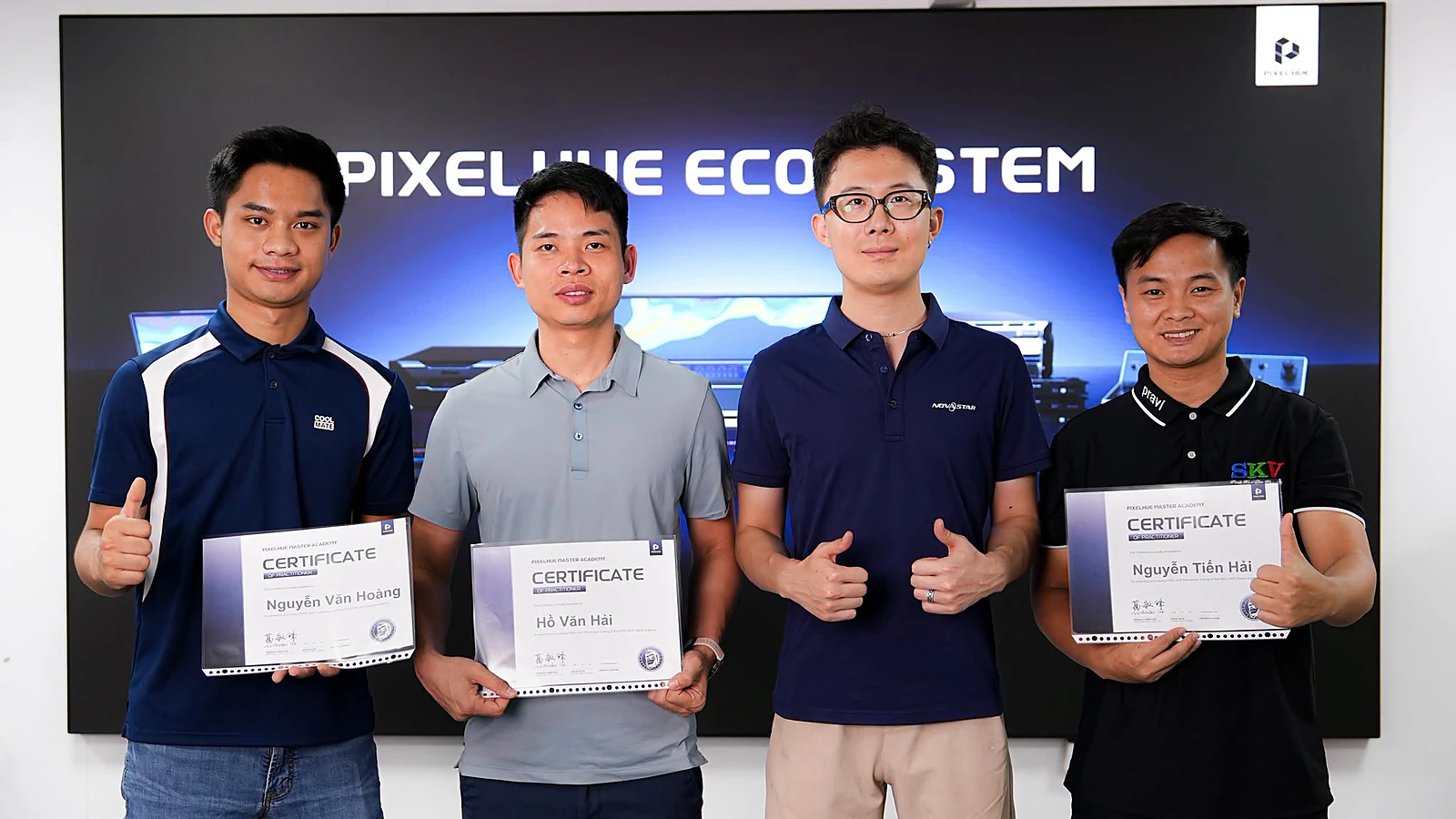
A correctly integrated system requires both suitable equipment and skilled personnel. Specifically regarding flagship equipment, the Q8 allows each output port to be set to a unique resolution, supports uneven splicing, virtual pixels, and 90-degree rotation, opening possibilities for stages with unusually shaped screens. On the human side, engineers within the Luxwave and SKV (part of Ho Gia) ecosystem are PixelHue PMA certified, providing configuration consultation and implementation support according to public specifications. When estimating costs, include site surveys, preset configuration, and test runs in the plan, as these factors directly impact the quality of the performance.
!PMA Engineer *Photo: Engineer certified as PixelHue PMA*
Pitfalls
Common mistakes
- Selecting equipment based solely on input port count while overlooking the actual number of 4K layers required for compositing, leading to insufficient scene-building capacity when the event needs multiple simultaneous sources.
- Assuming all PixelHue models have an audio matrix: the P10 lacks Dante, while only the Q8 and P20-DS variants support it; this mistake results in insufficient audio channels after installation.
- Ignoring the challenge of long-distance signal transmission: using copper cables for long distances instead of 10G OPT fiber or ST-2110 infrastructure, causing signal degradation and risk of signal loss during the event.
- Failing to plan for redundancy (dual-unit cascade, preset storage) before the event day, making rapid recovery impossible in case of live signal issues.
FAQ
Frequently asked questions
What is the most significant difference between PixelHue Q8 and P-Series?
The Q8 is the flagship module with capabilities up to 32 4K layers in switcher mode, 64 4K layers in splicer mode, and 8K video processing, along with optional ST-2110 cards for IP broadcast. The P-Series, such as the P20 and P10, are designed for mid-scale applications with fewer layers and sources. The key differences lie in the number of 4K layers, 8K processing power, and IP infrastructure support.
Which PixelHue series supports Dante audio?
The Q8 features a 64×64 Dante audio matrix, and each HDMI/DP/SDI port carries 8 audio channels. The P20-DS variant includes a 32×32 Dante matrix. The P10 does not have an audio matrix, so if embedding and routing audio over the network is required, consider the Q8 or P20-DS.
How can PixelHue signals be transmitted over long distances in large events?
The P10 is equipped with 4 10G OPT fiber ports for long-distance transmission, suitable when the stage and control room are far apart. The Q8 supports optional ST-2110 4×SFP 25G cards (one video stream per port) for integration into IP broadcast infrastructure. The choice depends on the distance and existing network environment.
Does PixelHue support uneven screen splicing and image rotation?
Yes. On the Q8, each output port can be set to a unique resolution and supports uneven splicing, virtual pixels, and 90-degree rotation. This is beneficial for creative stages with unusually shaped screens.
How are control and scene saving handled on PixelHue?
The Q8 stores up to 1024 presets and is controlled via PixelFlow software, U5/U5 Pro physical consoles, or Stream Deck (via Companion), with TAKE/T-bar/CUT transitions. The P10 stores 128 presets. Pre-configuring presets before the event allows for quick scene changes and reduces the risk of direct manipulation errors.
What type of LED screen should be paired with PixelHue for high-end events?
A recommended, though not mandatory, option is the BOE BYH012 COB display with a P1.25 pixel pitch, offering ≥110% NTSC color gamut, ≥1,000,000:1 contrast in dark rooms, and front maintenance. This display layer is suitable when the PixelHue processor enables 8K and multi-4K layering. Pixel pitch selection should still be based on actual viewing distance.
References
- 1.ManufacturerGenuine PixelHue
- 2.ManufacturerLuxwave Distribution Catalog — PixelHue Specifications (verified)
- 3.ManufacturerBOE MLED COB Display Solutions