

PixelHue is a name that often comes up when LED screen projects reach the broadcast, touring, or large event level, but it's not yet common among customers familiar only with NovaStar or integrated video processors. This article explains PixelHue in a way that buyers in Vietnam need: what the brand does, which products are noteworthy, when to use it, when not to, and why Luxwave positions PixelHue as a premium imaging solution rather than an optional accessory.
In the context of InfoComm 2026, taking place from June 17–19, 2026, at the Las Vegas Convention Center, USA, the AV industry continues to emphasize Agentic AI, IPMX, MiP, and Micro-LED. However, for actual LED projects in Vietnam, the signal processing layer remains the deciding factor in whether a screen operates smoothly during broadcasts, livestreams, or events. Therefore, PixelHue should be viewed as a technical choice for complex imaging challenges, not a configuration label to be added to every project.
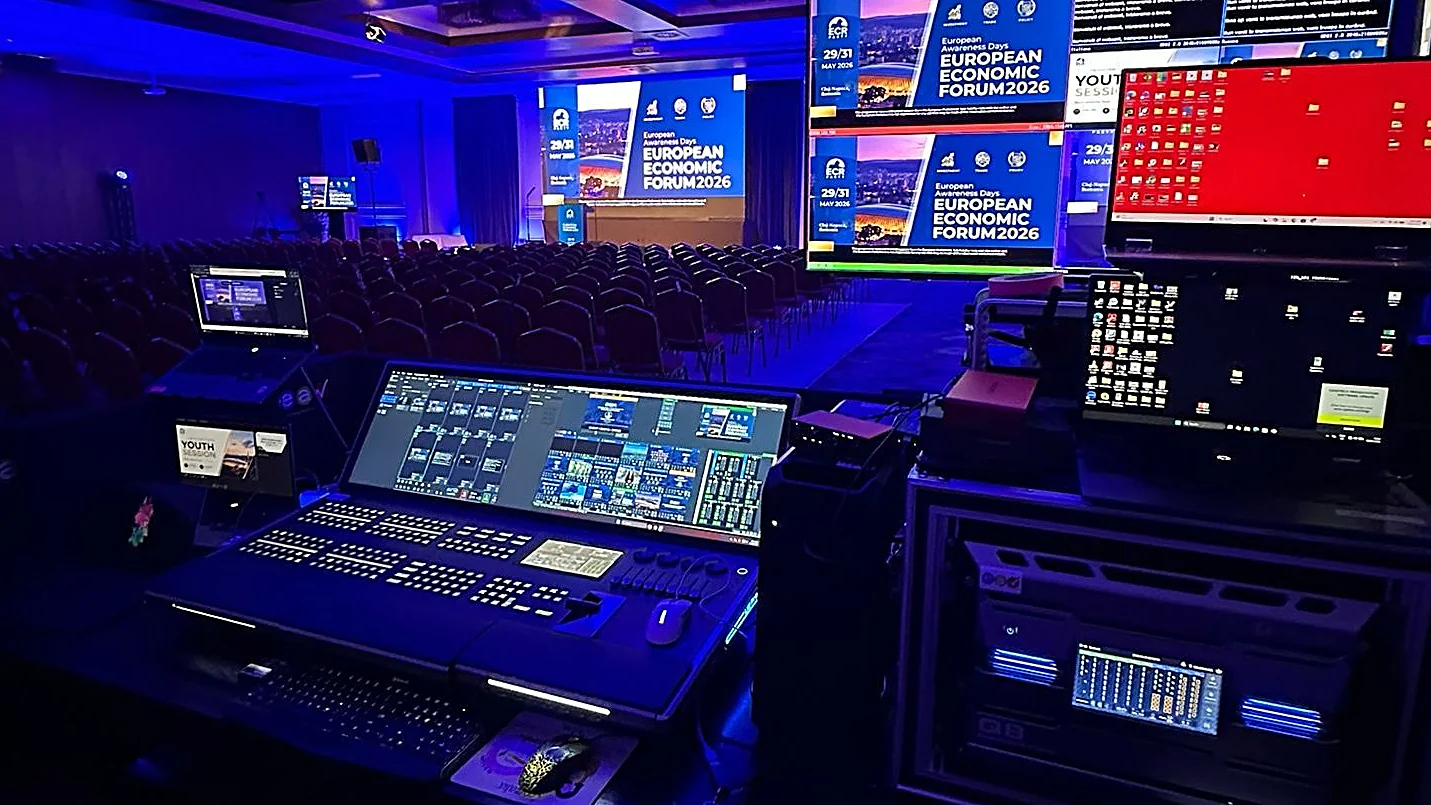
!PixelHue control console at the European Economic Forum 2026 event
What is PixelHue and where does it stand in the LED ecosystem?
PixelHue is a Chinese brand founded in 2017, specializing in developing high-end image processors for LED screens, particularly in the switcher and splicer categories used in broadcast, touring, festivals, and multi-source signal events. The brand's devices are used in international projects such as the European Economic Forum 2026 in Romania, Alaska Open Day, and numerous global event communities (according to PixelHue). For the Vietnamese market, PixelHue should be understood as a professional image processing layer situated before the LED screen, not a direct replacement for all LED control components.
In a complete LED system, images typically pass through multiple layers: source, image processor, signal sender, receiving card, cabinet, and LED module. PixelHue focuses on the image processing layer: receiving multiple sources, switching scenes, layering, zoning, and ensuring signal quality before it's sent to the LED control system. Therefore, when researching PixelHue, the correct question is not "Do I need PixelHue for every LED screen?", but rather "Is this project complex enough to require a broadcast-grade processor?"
For premium LED screens, image quality isn't just about the cabinet; it also depends on how the entire signal is processed before reaching the screen.
Common projects like single-source advertising screens, medium-sized meeting rooms, or lobbies displaying static content usually don't require heavy configurations. However, for live shows, main screens combined with phụ screens, multiple cameras, presentation computers, media servers, and livestreams, the image processor becomes the critical component for program smoothness. This is where PixelHue is positioned: not chasing mass-market applications, but focusing on signal quality, multi-layer capabilities, and live operation.

How do Switchers and Splicers differ?
Switchers and splicers are both image processors, but they address different needs within an LED screen system. Switchers are geared towards performance and broadcast: operators switch between multiple sources, set up preview/program feeds, open multiple layers, key backgrounds, or change layouts during a live event. Splicers are focused on signal splicing: dividing, scaling, or distributing content across very large LED screens, multi-zone displays, or cabinet structures that don't follow standard aspect ratios. PixelHue offers both, so buyers need to correctly identify their needs before choosing a model.
!Technician operating a PixelHue console in front of a large event audience
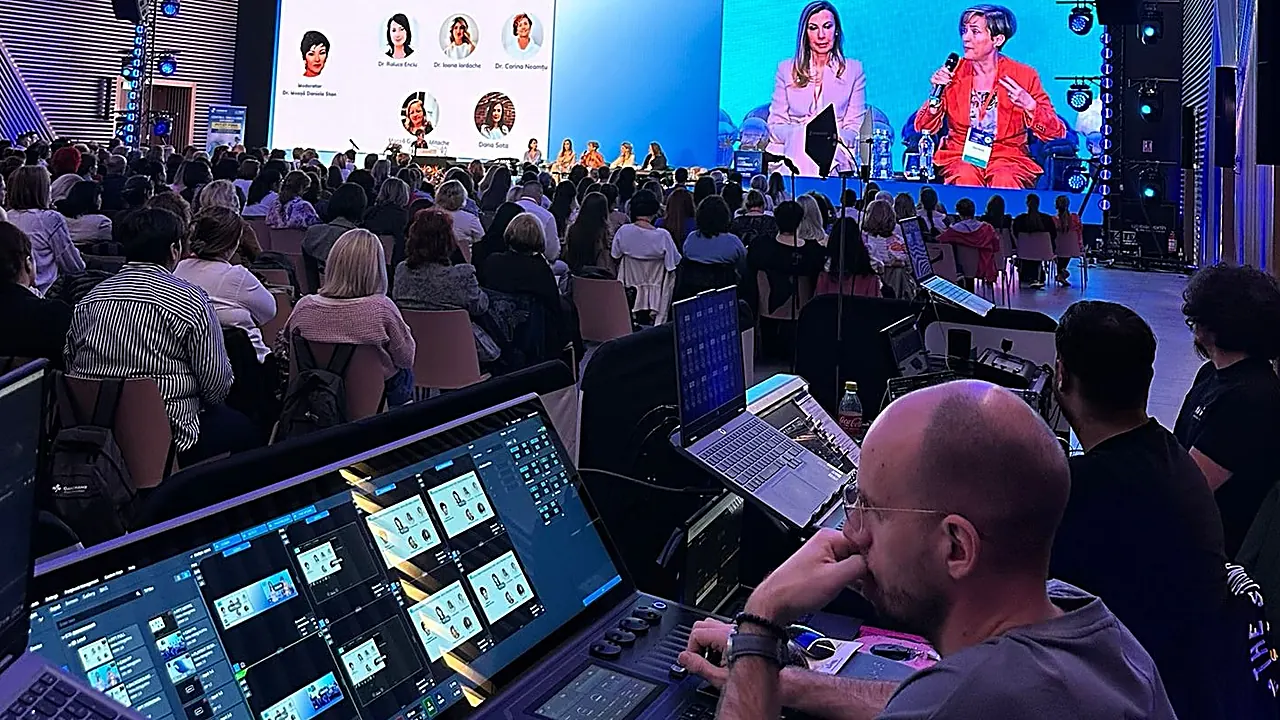
In practice, a large stage might require both functions. The switcher part helps the technical team switch from the MC's camera to slides, then to background video or a livestream feed without the audience seeing a black screen. The splicer part ensures content is correctly displayed across the main LED screen, side wings, and decorative LED strips if the stage layout isn't a simple rectangle. For event stages, this is the difference between a system that can "just display images" and one that operates with confidence in front of thousands of people.
It's important to note that switchers/splicers do not perform all the tasks of an LED control system. If a project uses NovaStar for sending/receiving cards, the technical team will still need to configure cabinet mapping, screen parameters, and calibration using the corresponding tools. The article on video processors explains the role of video processors in LED systems more broadly, while the article on NovaLCT LED Screen Configuration Guide is useful for understanding the NovaStar configuration layer behind it.

Why are 4:4:4 10-bit and FPGA important for LED imaging?
PixelHue emphasizes FPGA and 4:4:4 10-bit processing because these are two factors that directly impact image quality in professional shooting, livestreaming, and projection environments. 4:4:4 preserves full color detail instead of color subsampling like 4:2:2 or 4:2:0, resulting in sharper small text, graphic borders, and brand colors with less bleeding. 10-bit enables smoother color gradients, reducing banding when LED screens display gradients, dark scenes, or challenging camera footage.
For audiences in a hall, this difference might not always be explicitly named. However, for cameras, livestreams, and large LED screens, color errors, jagged text edges, or flat color bands become apparent much faster. This is why projects in broadcast studios, events involving recording, and high-end control rooms often have higher signal processing requirements than standard meeting rooms. When cameras are part of the equation, one shouldn't solely focus on pixel pitch or screen brightness.
FPGA is also a platform commonly used in professional image processing equipment because it is well-suited for real-time, low-latency signal flows. In live events, operators have limited opportunities to correct mistakes: scene switching must be decisive, layers must be stable, and backup signals must be ready. PixelHue doesn't just sell "resolution"; it sells stable processing capabilities within a program sequence full of variables. For image issues appearing on camera, the article on refresh rate & cameras provides supplementary knowledge.
How should the PixelHue P, Q, and F series be understood?
The PixelHue product line can be viewed in three main categories: the P series for 4K switchers/splicers at various levels, the Q series for flagship multi-layer configurations, and the F series as modular mainframes that can be fitted with cards according to needs. According to the official PixelHue website, the P10 is a broadcast-grade 4K 60p 4:4:4 10-bit switcher/splicer; the P20 is a step up from the P10 with double the capacity for large events; the P80 is a 4K presentation switcher for professional TV studios; the F4 Mainframe serves production studios and festivals; and the Q8 is the flagship with a 32-layer 4K Switcher and a 64-layer 4K Splicer.
!PixelHue processors and control console in equipment staging area
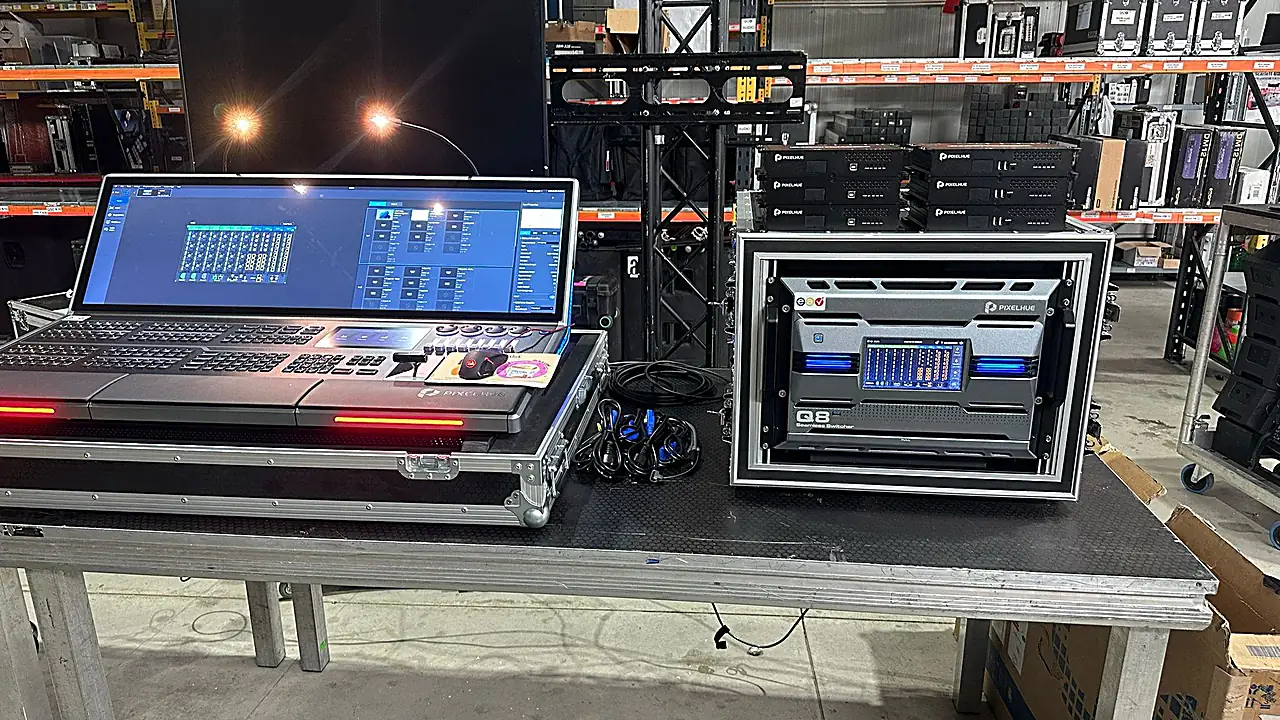
For buyers in Vietnam, understanding the product series should start with the complexity of the program. If a high-end processor is needed but not quite a flagship system, the PixelHue P10 is a reasonable starting point for discussing 4K 60p, 4:4:4 10-bit, and event operation needs. If the project requires numerous 4K layers, multiple screens, and complex stage configurations, the PixelHue Q8 should be included in the budget. If a modular frame is needed to swap cards for different productions, the PixelHue F4 is more suitable than buying a fixed unit.
This product line should not be interpreted as a "higher is always better" scale for every installation. A small conference center running static content doesn't need a Q8 just to prove its powerful configuration. Conversely, a rental company that frequently handles festivals, large conventions, or shows with media servers, cameras, main LED screens, and auxiliary LED screens might reduce operational risks by using sufficiently capable equipment. Luxwave typically begins by reviewing the signal diagram and program scenario before finalizing the model, as this approach provides a more realistic budget estimate than simply choosing a machine by its series name.
How does PixelHue differ from NovaStar, and should it replace it?
NovaStar and PixelHue should not be pitted against each other as mutually exclusive options. NovaStar is popular due to its extensive ecosystem, ranging from NovaLCT software, sending cards, receiving cards, to processors at various price points; it's a familiar platform for many LED technicians in Vietnam. PixelHue has a narrower focus on the premium broadcast and event segment, where signal quality, multi-source scene switching, image layer count, and multi-screen capabilities are paramount. Therefore, the correct choice is often a combination or layering of solutions, not a complete replacement.
For common projects, NovaStar often remains the more logical answer in terms of cost, technical availability, and maintenance. A corporate meeting room, a medium-sized showroom, or an information display screen without complex live feeds can function well with a NovaStar system. For rental LED screens, you can refer to the article on LED Screens for Event Rentals to see how many operational challenges depend on cabinet structure, setup speed, and durability, not just the processor.
PixelHue becomes a worthwhile consideration when the pre-screen imaging component holds significant value: multiple input sources, numerous scene transitions, multiple content layers, auxiliary screens, and requirements for clean broadcast or livestream output. In such cases, the processor cost is only one part of the overall program risk. A single scene switching error, incorrect brand color, or signal loss at a critical moment can be more costly than the equipment price difference. In other words, PixelHue does not replace NovaStar in every project; PixelHue adds a professional processing layer for projects where a standard NovaStar configuration is not optimal.
Conclusion: Who should use PixelHue in Vietnam?
PixelHue is best suited for large event organizers, LED rental contractors, television stations, film studios, festivals, high-end control centers, and projects requiring stable live imaging for cameras. This group of customers has sufficient needs to leverage 4:4:4 10-bit switchers/splicers, FPGA platforms, multiple layers, and multi-screen capabilities. Conversely, if a project only runs a single static content source, has few scene transitions, and low camera requirements, NovaStar or a standard processor usually remains more cost-effective.
In Vietnam, Luxwave is an authorized PixelHue dealer, distributing all P/Q/F series products with genuine CO/CQ, a 24-month warranty, and remote technical support. The distributor's role is not just importing equipment but also helping clients correctly assess their needs: which screens require PixelHue, which only need NovaStar, which parts require redundancy, and which are not worth the investment. For broadcast projects, stages, or command centers, the most practical approach is to first create a signal diagram, determine the number of sources and operational scenarios, and then finalize the processor configuration.
Pitfalls
Common mistakes
- Choosing PixelHue solely for its high specifications without needing multi-source, multi-layer, or live operation; standard meeting room projects may incur unnecessary costs.
- Confusing a switcher with an LED receiving card; PixelHue handles input image processing, while the LED screen still requires a compatible sending/receiving system for cabinet mapping.
- Overlooking the event operation process; high-end equipment requires operators who understand presets, preview/program feeds, source backups, and scene switching scenarios.
- Comparing PixelHue and NovaStar as absolute alternatives; in reality, the two systems can complement each other based on processing layers and budget.
FAQ
Frequently asked questions
What is PixelHue?
PixelHue is a Chinese brand founded in 2017, specializing in premium LED video processors in the form of switchers and splicers. The brand's devices target broadcast, touring, festivals, film studios, and large events requiring multi-source scene switching, multiple image layers, 4:4:4 10-bit quality, and stable live operation.
How does PixelHue differ from NovaStar?
NovaStar has a very broad ecosystem, from NovaLCT software, sending cards, receiving cards to standard and high-end processors. PixelHue focuses more narrowly on premium broadcast/event image processing, particularly for challenges involving multiple sources, multiple layers, and multiple screens. The two systems are not mutually exclusive; the choice should be based on scale, budget, and signal flow.
When should LED projects in Vietnam use PixelHue?
PixelHue should be considered when an LED screen project involves large screens, multiple input sources, live scene switching, livestreaming, or requires stable images for cameras. Large event organizers, studios, TV stations, rental contractors, and high-end control centers typically benefit more than small meeting rooms or single-source advertising screens.
How do Switchers and Splicers differ within PixelHue?
Switchers are used for presentation or broadcast scene switching, allowing operators to select sources, layer content, manage preview/program feeds, and change layouts during a program. Splicers focus on splicing signals to cover large LED screens or multi-zone displays. PixelHue offers both types of functionality in its different product lines.
Why is 4:4:4 10-bit important for LED screens?
4:4:4 preserves full color information, which is beneficial for small text, sharp graphics, and camera footage. 10-bit provides smoother color transitions, reducing banding in gradients or dark scenes. For stages, broadcasts, and livestreams, these two factors help produce cleaner LED images through multiple processing layers.
What support does Luxwave provide when distributing PixelHue in Vietnam?
Luxwave is an authorized PixelHue dealer in Vietnam, distributing genuine P, Q, and F series products with CO/CQ, a 24-month warranty, and remote technical support. The key role is not just selling equipment but also advising on signal diagrams, appropriate configurations, and coordinating with project operational teams.
References
- 1.ManufacturerPixelHue — Official Website
- 2.DatasheetPixelHue Q8 — 4K Switcher/Splicer (datasheet)
- 3.DatasheetPixelHue P10 — 4:4:4 10-bit (datasheet)
- 4.NewsPixelHue (Official Facebook) — Global Event Projects