

The NovaStar VX Pro Series is a group of all-in-one LED controllers designed for projects requiring compact equipment, quick configuration, and familiar operation. Instead of separating the video processor and sending card into two distinct hardware layers, the VX Pro consolidates these two roles into a single unit. For the Vietnamese market, this approach offers practical advantages: fewer devices in the rack, fewer intermediate cables, fewer potential failure points, and easier adoption by technical teams already familiar with the NovaStar system.
!NovaStar VX Pro Series Controllers
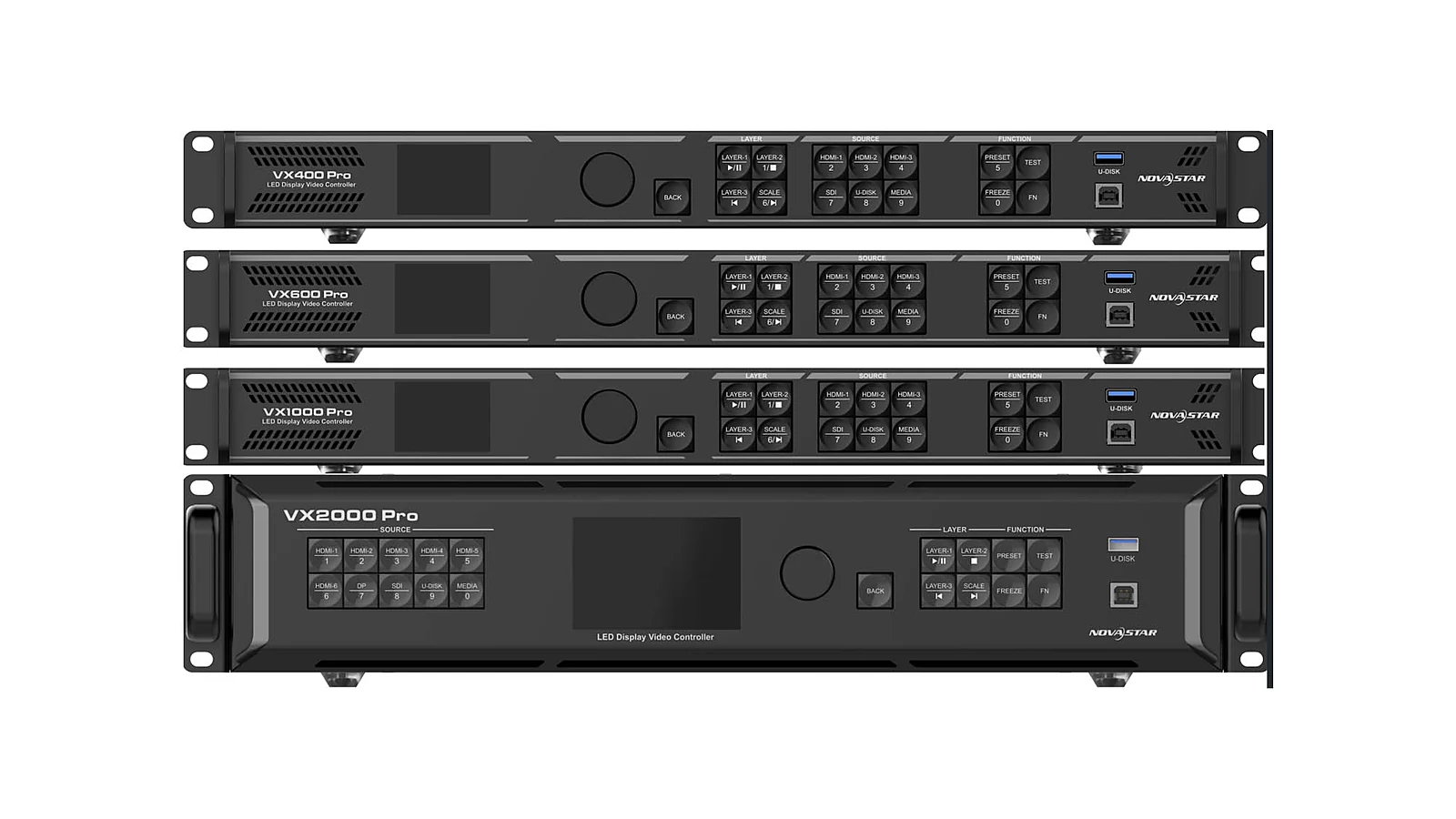
What is VX Pro and What Does All-in-One Mean?
The NovaStar VX Pro is an all-in-one LED screen controller series, meaning a single device handles both video processing and sending card functions. In a traditional LED system, signals typically travel from the source through a processor, then a sending card, and finally to the receiving cards on the cabinets. With the VX Pro, the processor and sending card layers are combined, resulting in a shorter signal path. This is why this series is often considered for auditoriums, showrooms, stages, and other projects requiring a compact setup.
It's important to note that 'all-in-one' does not mean the device replaces every component of an LED system. The screen still requires cabinets, receiving cards, power supplies, signal cables, mapping configuration, and a commissioning process. The VX Pro addresses the segment between the signal source and the screen: receiving, processing, scaling, layering, and outputting via Ethernet ports. For a broader perspective on selecting control equipment, the article on Choosing an LED Screen Controller provides a foundational understanding before finalizing a model.
The most apparent advantage of the all-in-one design is reduced implementation complexity. A separate system might offer more flexibility for very large projects but also requires more cables, power supplies, configuration points, and increases the potential for errors due to intermediate connections. With the VX Pro, the client receives a more defined unit for handover, operation, and maintenance. This is a practical benefit when the operational team may not always be broadcast specialists.
Where Do the Four VX Pro Models Differ?
The VX Pro Series includes four models: VX400 Pro, VX600 Pro, VX1000 Pro, and VX2000 Pro. The primary differences lie in pixel loading capacity, the number of Ethernet ports, and the number of layers. The VX400 Pro supports 2.6 million pixels with 4 Ethernet ports and 6 layers. The VX600 Pro supports 3.9 million pixels with 6 Ethernet ports and 6 layers. The VX1000 Pro supports 6.5 million pixels with 10 Ethernet ports and 6 layers. The VX2000 Pro supports 13 million pixels with 20 Ethernet ports, 12 layers, and an output resolution of up to 16,384x8,192.
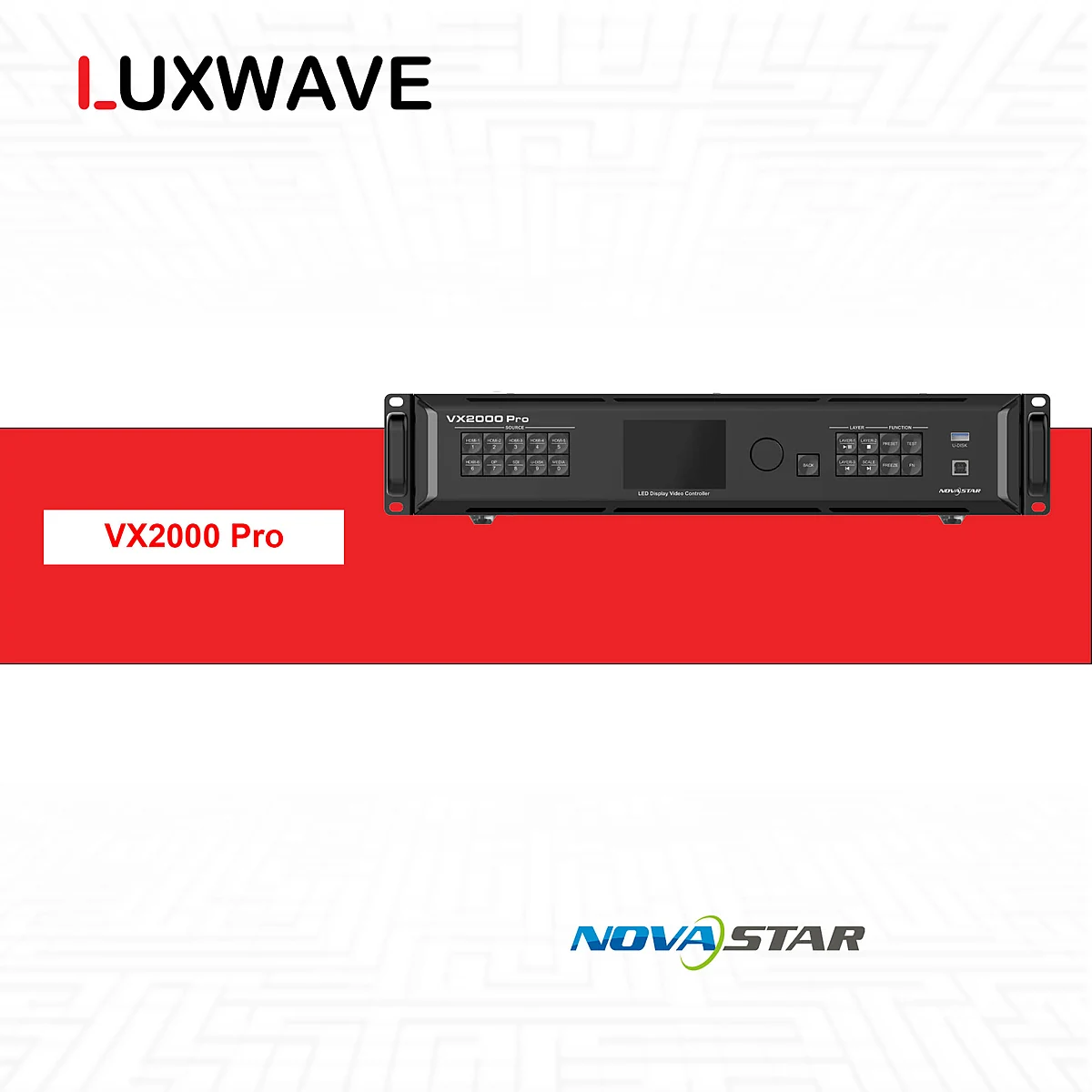
Selection should not begin with the question "which model is the most powerful," but rather with the actual resolution of the LED screen. A screen with a low total pixel count, few display areas, and minimal layers does not necessitate a VX2000 Pro if a VX600 Pro or NovaStar VX1000 Pro is sufficient. Conversely, a large screen requiring multiple load-balancing ports and multiple image layers will be limited if a model that is too small is chosen. Pixel loading capacity and the number of Ethernet ports must be considered together, not in isolation.
The VX2000 Pro is a notable choice when the screen has a large canvas or requires more layers than the other models. The specifications indicate this model achieves 13 million pixels, 20 Ethernet ports, 12 layers, and an output up to 16,384x8,192. This does not make it the default choice for every project, but it makes the NovaStar VX2000 Pro more suitable when the screen system extends beyond meeting rooms, showrooms, or small stages. Accurate budgeting should align the model with the specific signal diagram.

What Does Pixel Loading Capacity Determine?
Pixel loading capacity is a critical limit as it indicates how many pixels the controller can manage on the LED screen. If the screen's total pixel count exceeds the loading capacity, the system may not output the correct resolution, forcing a configuration reduction or system division across multiple devices. Therefore, before selecting a VX Pro, calculate the actual horizontal and vertical pixel dimensions and compare them against the 2.6 million, 3.9 million, 6.5 million, or 13 million pixel capacities of each model.
In practice, pixel loading capacity is not just a number on a spec sheet. It relates to the number of Ethernet ports, cabinet distribution, source resolution, screen aspect ratio, and multi-layer display requirements. A screen that is not excessively large but is divided into multiple zones or requires overlay layers might necessitate a higher-tier model than initially anticipated. Conversely, a single-zone screen with simple content, whose total pixels fall within the limit, should not be over-specified simply due to a "future-proofing" mindset.
If you are unfamiliar with the calculation process, start with the article on Calculating LED Screen Size and Resolution. Once the total pixel count is determined, the technical team can then calculate the number of Ethernet ports, cable runs, cabinet mapping, and backup capabilities. This step is more crucial than merely looking at the model name, as different pixel pitches for the same physical size will result in vastly different pixel counts. Incorrect selection at this stage often leads to controller miscalculations as well.

How Does the VX Pro Handle Signals and Connectivity?
The VX Pro Series offers notable common features: maximum input of 4Kx2K@60Hz, HDMI2.0/DP1.2 supporting 240Hz, HDR, output scaling, low latency, per-point brightness correction, and configuration via Unico or NovaLCT software. The series also supports dual receiving-card backup, enabling redundancy at the signal reception layer for systems requiring higher stability. This set of features is broad enough for many commercial LED projects and events.
!VX Pro Connection Ports Back Panel
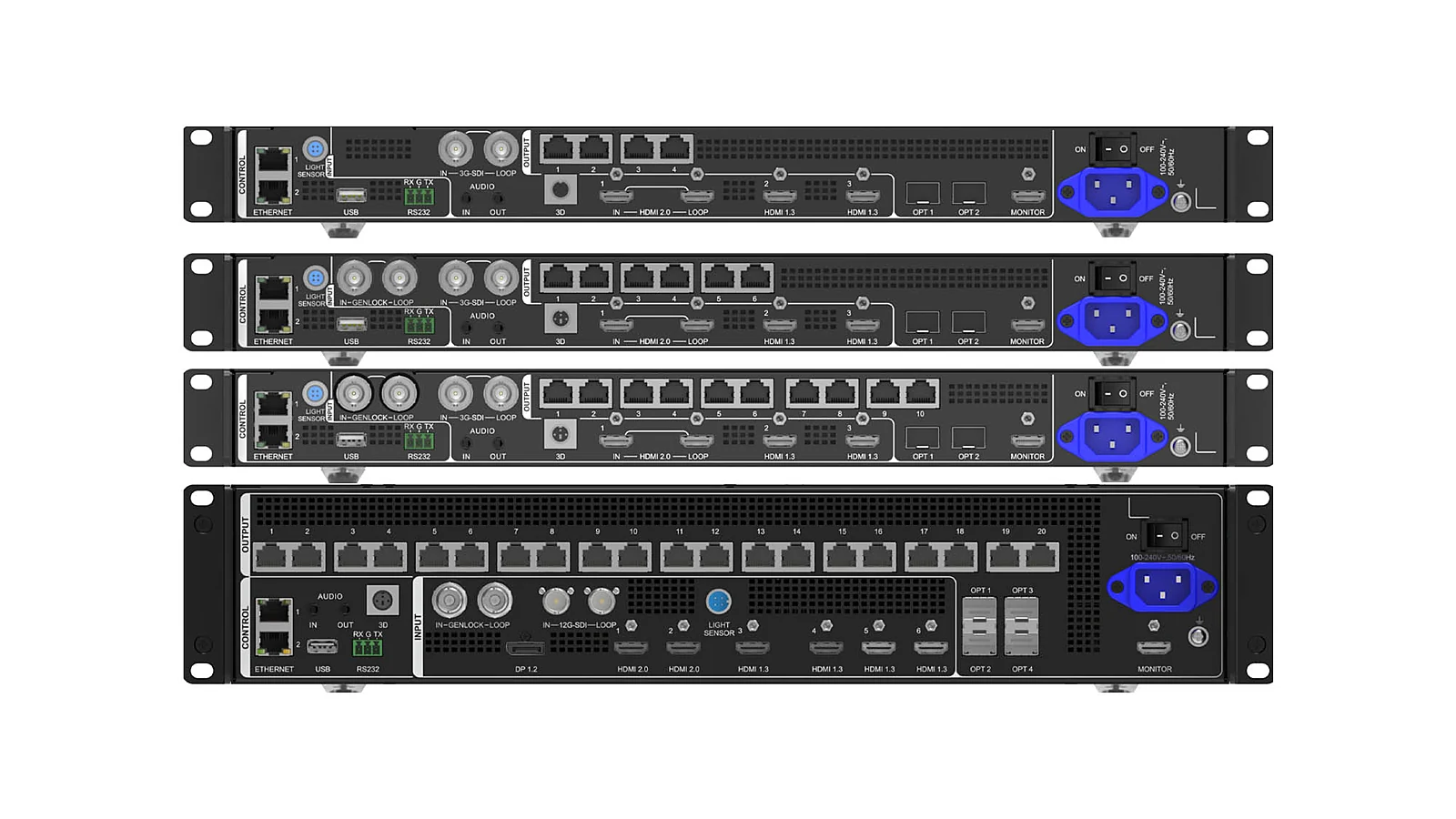
In terms of operation, output scaling ensures content matches the actual LED screen resolution, especially when the screen's aspect ratio deviates from standard display formats. Low latency is beneficial for stages, cameras, or interactive spaces. HDR provides additional dynamic range processing capabilities when the source and screen support it. Per-point brightness correction helps reduce display discrepancies but still requires on-site calibration and real-world testing, not just enabling the feature in software.
It's important to clarify that the VX Pro does not replace system design. A device with HDMI2.0, DP1.2, 12G-SDI, 10G OPT, and Ethernet still requires a clear power diagram: which source is primary, which is backup, which content goes to which layer, which screen needs scaling, and which port connects to which group of cabinets. For projects with multiple sources and complex scene switching requirements, consider comparing with dedicated processing layers, such as in the article PixelHue Q8 vs NovaStar H Series, to understand when a higher-end processor/splicer might be necessary.
Why is NovaStar Popular in Vietnam?
NovaStar is popular in Vietnam because it is one of the most widely used LED controller systems on the market. For clients, the advantage lies not only in the equipment brand but also in the availability of technicians, familiar configuration processes, and relatively comprehensive Vietnamese documentation. When a system requires post-handover maintenance, the familiarity of the operational team holds significant practical value.
A good LED screen requires more than just high specifications on commissioning day. It needs correct power cycling, proper content source changes, correct configuration saving, accurate handling of cable or receiving card errors, and quick recovery from incidents. The NovaStar system has an advantage because many contractors, rental technicians, and integration companies have used NovaLCT or Unico for years. When operational training is needed, using a familiar platform reduces transfer risks.
This does not imply that NovaStar is always the best choice for all image processing layers. For certain broadcast projects, festivals, or highly complex control centers, specialized processing systems like PixelHue still have their distinct roles. However, in the mainstream LED controller segment, NovaStar holds a clear advantage in terms of familiarity within Vietnam. Consequently, many projects choose the VX Pro not just for its specifications, but for the more organized post-sales operational ecosystem.
Which Projects Suit the VX Pro and How to Conclude?
The VX Pro is best suited for projects requiring a compact controller with sufficient video processing capabilities, clear pixel loading capacity, and a preference for operating within the familiar NovaStar ecosystem. This category includes auditoriums, showroom LED screens, medium-sized event stages, control rooms with non-complex configurations, and fixed LED installations aiming to reduce intermediate devices. For scenarios like event stages, broadcast studios, or command centers, further assessment of source count, layer requirements, and backup needs is advised before finalization.
If a project has only one signal source, a small screen, and minimal content changes, the VX400 Pro or VX600 Pro may be technically sufficient. If the screen is larger, has more ports, or requires higher load capacity, the VX1000 Pro is a logical upgrade. If the system needs 13 million pixels, 20 Ethernet ports, 12 layers, or very large output resolutions, the VX2000 Pro should be considered in the design. This tiered approach helps budgeting align with actual needs, avoiding under-specification or over-spending.
The practical conclusion is that the VX Pro should be viewed as a powerful all-in-one controller series focused on compactness, ease of operation, and the prevalence of the NovaStar system. It is not the answer for every high-end image processing challenge but is a highly considerable option when projects need to reduce devices, minimize failure points, and maintain a familiar configuration workflow. Selecting the correct model begins with total pixels, Ethernet ports, layers, and redundancy requirements, not with the largest model name.
Pitfalls
Common mistakes
- Selecting a model based on the highest name without calculating the screen's actual total pixel count; this can increase costs or still result in insufficient Ethernet ports for load distribution.
- Confusing 'all-in-one' with a high-end image processing system for all broadcast scenarios; projects with multiple screens, sources, and live scenes may require a separate processor layer.
- Overlooking receiving card redundancy and cabling diagrams; devices supporting backup do not inherently create safety if the site is not designed correctly.
- Configuring via software without saving mapping profiles, resolution, and configuration versions; this makes restoring a stable state difficult during maintenance.
FAQ
Frequently asked questions
What is the NovaStar VX Pro?
The NovaStar VX Pro is an all-in-one LED screen controller series from NovaStar. It integrates video processing and sending card functions into a single unit, making systems more compact, reducing intermediate devices, and simplifying deployment for various fixed LED projects or events.
What does 'all-in-one' mean for the VX Pro?
'All-in-one' means a single device handles both image signal processing and outputting control signals via Ethernet ports to the LED screen. This approach differs from separate processor and sending card configurations by reducing the number of devices, cables, and potential points of failure.
How do the VX400 Pro, VX600 Pro, VX1000 Pro, and VX2000 Pro differ?
The four models primarily differ in pixel loading capacity, number of Ethernet ports, and number of layers. The VX400 Pro supports 2.6 million pixels with 4 Ethernet ports; the VX600 Pro supports 3.9 million pixels with 6 ports; the VX1000 Pro supports 6.5 million pixels with 10 ports; and the VX2000 Pro supports 13 million pixels with 20 ports.
Is the VX Pro suitable for stage LED screens?
The VX Pro is suitable for many stage LED screens when the requirements focus on a compact configuration, low latency, HDR, scaling, and operation within the familiar NovaStar system. For programs with numerous live sources, multiple sub-screens, or complex broadcast demands, a dedicated professional processor should also be considered.
Why is NovaStar widely used in Vietnam?
NovaStar is widely used in Vietnam because it is a prevalent LED controller system, technicians are familiar with its operation, and the operational documentation is relatively well-translated into Vietnamese. This advantage makes it easier for clients to find personnel for configuration, maintenance, and troubleshooting compared to less common systems.
Should the VX2000 Pro be chosen for every project?
No, the VX2000 Pro should not be chosen solely because it is the highest pixel-loading model in the VX Pro Series. The screen's resolution, number of display zones, Ethernet ports, layers, and redundancy requirements must be calculated first. Smaller projects may be more appropriately served by the VX400 Pro, VX600 Pro, or VX1000 Pro.
References
- 1.DatasheetNovaStar — VX Pro Series Specifications
- 2.ManufacturerGenuine NovaStar
- 3.ResearchLED Controller Compendium
- 4.ManufacturerGenuine PixelHue
- 5.NewsOfficial PixelHue Facebook
- 6.StandardPixelHue Master Academy — Official Training Materials