

Why Do Banks Need Fine-Pitch LED Displays Instead of Standard Ones?
LED displays in banks are viewed at much closer distances than billboards: customers waiting for transactions, consultants, tellers, and management are all within a few meters. Therefore, the most critical factors are not peak brightness but pixel density, text sharpness, and stability during continuous operation. The P1.5–P2.5 range is often a reasonable starting point for exchange rate boards, interest rate displays, and lobby video walls.
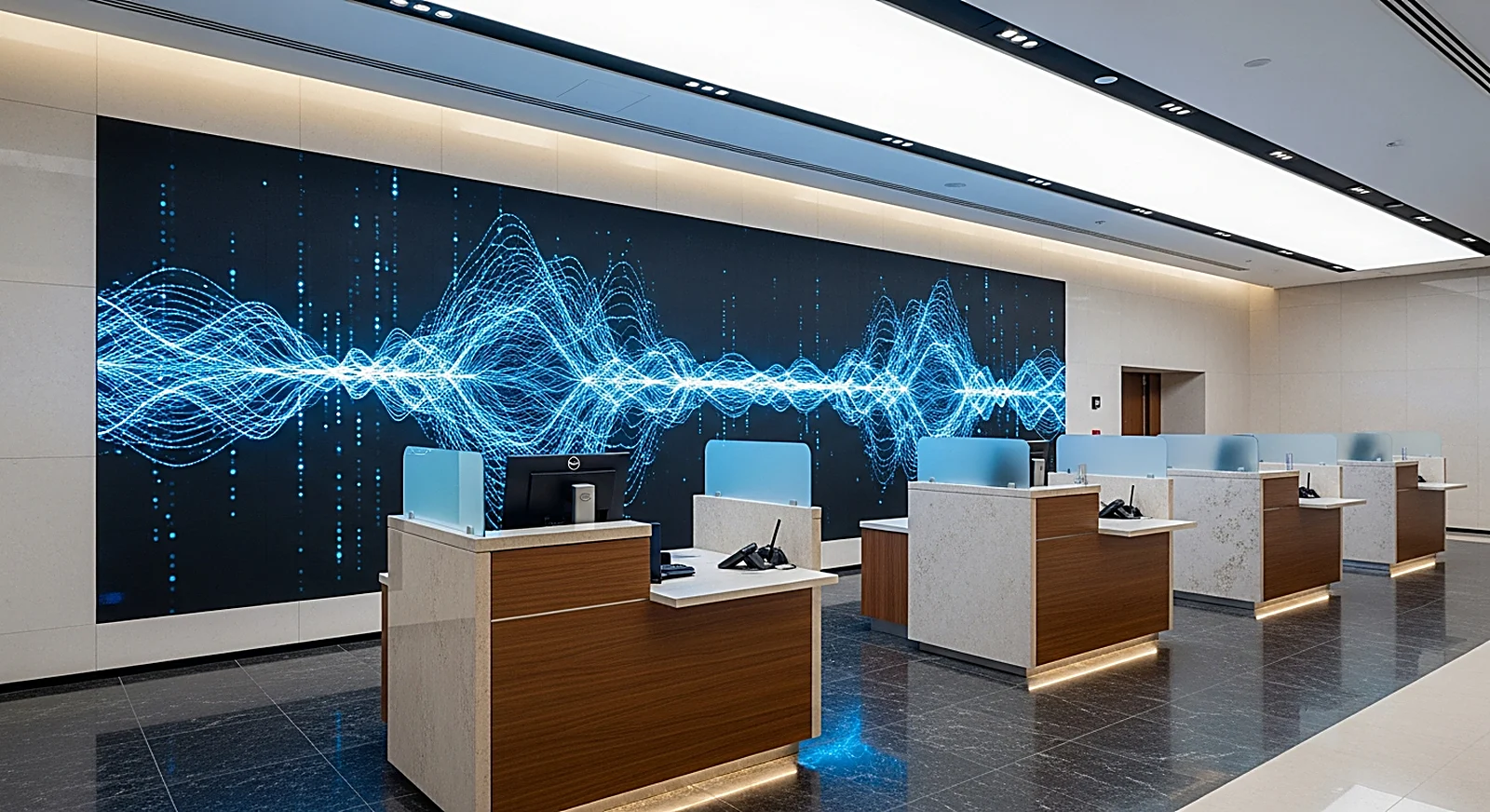
In a financial environment, a blurred number, a broken line of text, or a brand color mismatch can create a sense of lack of control. Fine-pitch ensures that small characters, data tables, and charts remain clear at close viewing distances. If the display is intended for executive meeting rooms, the article Choosing Pixel Pitch for Meeting Room LED Displays serves as a good reference, as it also focuses on seating distance, clarity, and text-heavy content.
For banks, LED displays must also handle diverse content simultaneously: horizontal exchange rate tickers, interest rate tables by term, loan product introduction videos, consultation QR codes, service maintenance notices, or internal operational dashboards. This content cannot tolerate a large pitch. A P4 screen might be adequate for distant viewing, but in a transaction office, it can easily result in jagged small text, forcing customers to squint.
How Do Bank LED Displays Differ from Outdoor Billboards?
Bank LED displays differ from outdoor billboards in their technical priorities. Outdoor billboards require very high brightness, water resistance, sun tolerance, and long-distance viewing; indoor displays in banks need smooth images, uniform color, no glare, stable operation, and easy content updates for sensitive information. In short: banks prioritize clarity and reliability over peak brightness.
!P2.5 LED display at BIDV Quang Minh showing indoor transaction content
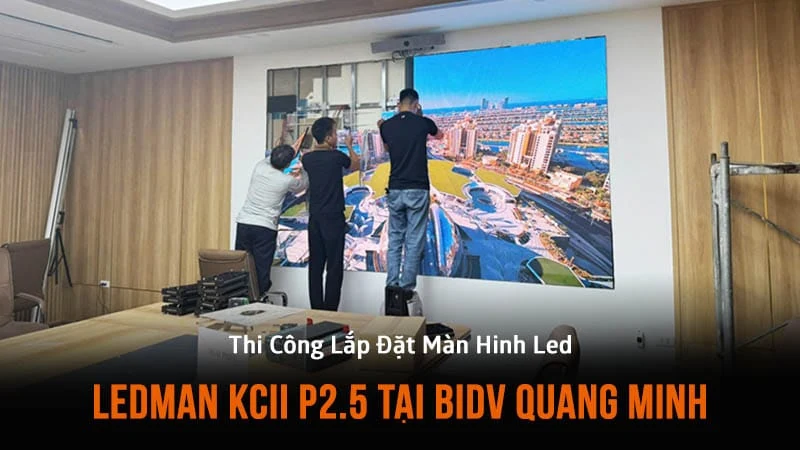
Indoors, a brightness of around 600–1,200 nits is usually sufficient for transaction lobbies, consultation counters, and meeting rooms, provided the display can adjust to ambient lighting. If configured too brightly, the white background of an interest rate board can cause eye strain, and employees working near the screen for extended periods will experience discomfort. The article How Many Nits of Brightness Are Enough for LED Displays analyzes nits selection for indoor and outdoor contexts in more detail.
The second difference lies in color and uniformity. While billboards can use strong visual effects to attract attention from afar, banks require consistent colors for logos, fee schedules, and warning indicators. When multiple LED modules are joined, color discrepancies between screen areas become apparent on white, gray, or brand-blue backgrounds. Therefore, selecting good LED panels is not enough; the control system, color calibration, and acceptance testing process must also be considered from the outset.
Where to Install LED Displays in a Bank Branch?
A bank branch typically has four main areas suitable for LED displays: the transaction lobby, customer waiting areas, product consultation zones, and internal meeting rooms. Each location has different viewing distances, content, and operational requirements, so a single configuration should not be used throughout the entire facility. The correct approach is to categorize by content before finalizing the pitch, size, and control system.
In the transaction lobby, LED displays can serve as the main video wall, showcasing branding, service announcements, card products, loan and savings information, or seasonal promotions. This is the first area customers see, so brand colors and background uniformity must be excellent. If the lobby is large and customers view from a distance, P2.0–P2.5 is usually appropriate; if the screen is placed low, near seating areas, or contains much small text, a smaller pitch should be considered.
At transaction counters or waiting areas, exchange rate and interest rate tickers require clear digits, smooth scrolling, and good readability. Financial content often includes multiple decimal places, currency symbols, and small data columns, so an overly large pitch reduces readability. For spaces requiring real-time monitoring of multiple data streams, banks can also refer to the display logic of command center solutions, where data clarity is more critical than visual effects.
In Executive Boardrooms, control centers, or training auditoriums, fine-pitch LED displays are used for presenting reports, online meetings, management dashboards, and staff training content. These spaces are similar to auditorium applications but demand finer image quality due to close seating and content rich in charts and tables. If the display replaces a video wall of LCD panels, the key advantages are a seamless surface, flexible sizing, and the ability to display wide dashboards.
How to Manage Content for Multiple Branches?
Banks should manage LED display content using a centralized model with clear access rights and scheduling. Headquarters needs to control brand messaging, fee schedules, interest rates, security alerts, and product campaigns; branches should only have the right to display locally approved content. This model reduces the risk of incorrect content, mistimed information, or outdated files at each transaction point.
For multi-site systems, cloud signage or on-premise management servers allow for playlist creation, zone-based scheduling, campaign synchronization, and display status monitoring. When a bank updates savings interest rates, foreign exchange rates, or service announcements, the content can be pushed to all branches within the same timeframe. The article Remote LED Display Management via Cloud delves deeper into content organization, access control, and device monitoring.
It's important to note that not all content should be broadcast like retail advertising. Banks require a clear broadcast rhythm, avoiding excessive effects, and prioritizing readability. Data tables should have static backgrounds, sufficiently large fonts, high contrast, and limited distracting transitions. Financial product introduction videos can be more dynamic but must maintain brand identity and comply with internal product information regulations.
Which Controllers and LED Panels Are Suitable for Banks?
A bank's LED system should be designed as long-term display infrastructure, not just a screen mounted on a wall. The LED panel determines pixel density, uniformity, and surface durability; the processor dictates signal input, scaling capabilities, source switching, color calibration, and stable operation. These two layers must match to ensure 24/7 operation while maintaining display quality.
At the display layer, fine-pitch series like BOE BYH COB Ultra P0.9 represent the direction of premium indoor LED displays: high pixel density, robust surface protection, and suitability for close viewing. Not every transaction office requires P0.9, but referencing high-end series helps banks understand the quality spectrum: the closer the viewing distance and the more small text, the finer the pitch and better surface treatment required.
At the control layer, the NovaStar ecosystem is commonly used for professional LED applications due to its stable controllers, processors, and configuration software. For projects requiring multiple inputs like headquarters computers, media players, video conferencing cameras, or data dashboard systems, a processor like the NovaStar VX1000 helps scale images, switch signals, and manage the screen more efficiently. The BOE and NovaStar brands are also pillars in many premium indoor LED configurations deployed by Luxwave.
What Preparations Are Needed for 24/7 LED Display Maintenance in Banks?
LED displays in banks often operate for many hours daily, even 24/7 in main lobbies, ATM areas, control centers, or monitoring rooms. Therefore, maintenance should not be treated as an afterthought. From the design stage, considerations must include access to modules, power supplies, receiving cards, controllers, cabling, cooling, and rapid replacement plans for failures.
A good design should prioritize front access maintenance if the screen is installed close to a wall or recessed. This allows technicians to remove modules from the front without needing a large rear clearance, saving space and reducing repair time. For banks, recovery time is far more critical than the cost of individual components, as a faulty screen in the main transaction lobby directly impacts operational image.
Beyond hardware, a regular maintenance schedule is needed for color calibration, dead pixel checks, dust cleaning, temperature monitoring, and controller configuration backups. If the system is centrally managed, the operations team can identify offline screens, disconnected media players, or un-updated content. This is a significant difference between a standalone LED display and a display network managed as a financial institution's technological asset.
When Should Luxwave Be Contacted for a Bank Project?
Banks should contact Luxwave when a project involves multiple simultaneous requirements: fine images for close viewing, accurate brand colors, centralized content management, multi-site operation, and clear maintenance provisions. This is not just a matter of selecting screen size; it's about designing a display system that aligns with customer flow, data streams, and the financial institution's operational standards.
Luxwave is a premium LED display brand under Ho Gia JSC, an authorized distributor of BOE, NovaStar, and Muxwave. For bank or financial projects, the technical team can survey viewing distances, lobby lighting, counter locations, signal systems, cloud requirements, content playback schedules, and maintenance conditions before proposing a configuration. This approach helps avoid two common pitfalls: purchasing screens as bright as outdoor displays or selecting a pitch too coarse for close-up financial content viewing.
In summary, LED displays for banks should be finalized based on three pillars: fine-pitch for clear digits, standard color for brand and data integrity, and 24/7 operation to ensure branch continuity. When implemented correctly, LED displays become more than just advertising surfaces; they transform into communication infrastructure at transaction points, connecting headquarters with branches and enabling customers to receive financial information more clearly.
Pitfalls
Common mistakes
- Selecting too large a pitch for exchange rate and interest rate boards — viewers up close see pixelation, fine digits appear jagged, and financial content loses visual credibility
- Using overly bright screens in transaction lobbies — images are glaring, causing staff eye strain, white backgrounds overpower small text, and it's unsuitable for close viewing environments
- Lack of a centralized content management platform — each branch updates manually, leading to potential errors in fees, messaging, or announcement timing
- Overlooking 24/7 maintenance options — when a module, power supply, or controller fails, the main transaction area is affected for longer than acceptable for a bank
FAQ
Frequently asked questions
What pixel pitch should be chosen for bank LED displays?
Bank transaction offices should generally opt for P1.5–P2.5 because customers and staff view at close distances, typically only a few meters. If the screen is used for exchange rates, interest rates, or small data, a finer pitch is needed to prevent jagged digits. Larger lobbies with longer viewing distances might consider P2.5, while high-end meeting rooms should use P1.5 or smaller.
How many nits of brightness are required for LED displays in banks?
Indoor LED displays for banks are typically suited for around 600–1,200 nits, depending on lobby lighting and fixture direction. This level is sufficiently bright in air-conditioned environments with ceiling lights and storefront glass, without causing the glare of outdoor screens. More importantly, the ability for smooth dimming, stable color retention, and clear text readability when operating all day is crucial.
Why do banks need accurate color on LED displays?
Accurate colors ensure that data, charts, logos, and financial product content are displayed consistently across multiple transaction points. For banks, color discrepancies are not just an aesthetic issue but can reduce the perception of professionalism, especially when displaying interest rates, exchange rates, risk warnings, or brand identity on multiple screens simultaneously.
Should LED displays replace video walls for Executive Boardrooms?
Fine-pitch LED displays are suitable for Executive Boardrooms when large, seamless sizes are needed for presenting reports, dashboards, or clear video conferencing. Compared to video walls made of LCD panels, LED eliminates the bezels between panels but requires selecting the correct pitch for seating distance, meticulous color calibration, and synchronized audio, camera, and lighting setups.
How do banks with multiple branches manage LED content?
A suitable model is centralized content management via cloud or on-premise servers, with access rights assigned by headquarters, region, and branch. Headquarters can push playback schedules, fee structures, product campaigns, or operational announcements to multiple screens simultaneously. This method reduces manual operations and ensures sensitive content is controlled before broadcast.
What should be considered for bank LED display maintenance?
Maintenance for bank LED displays should focus on recovery time, spare parts, and front-access capabilities if the screen is wall-mounted. Regularly checked items include modules, power supplies, receiving cards, temperature, dust, and controller error logs. For main transaction areas, a clear SLA should be in place to minimize image disruption.
References