

Live events have no "second takes." When a show is running, any failure in the source, processor, output, LED controller, or power supply can result in a black screen, frozen image, or incorrect display for the audience. For stage LED screens, the issue isn't just about having powerful equipment; it's about whether the entire signal path has sufficient backup options.
Full-Link Backup is a design approach for end-to-end signal path redundancy: input backup, output backup, device or whole-machine backup, plus redundant power and the LED control layer at the back. Within the PixelHue cluster, this is a critical technical topic because PixelHue Q8 supports Full-Link Backup and 2+1 redundant power. This article focuses on the mindset and implementation, not on promoting specific models.
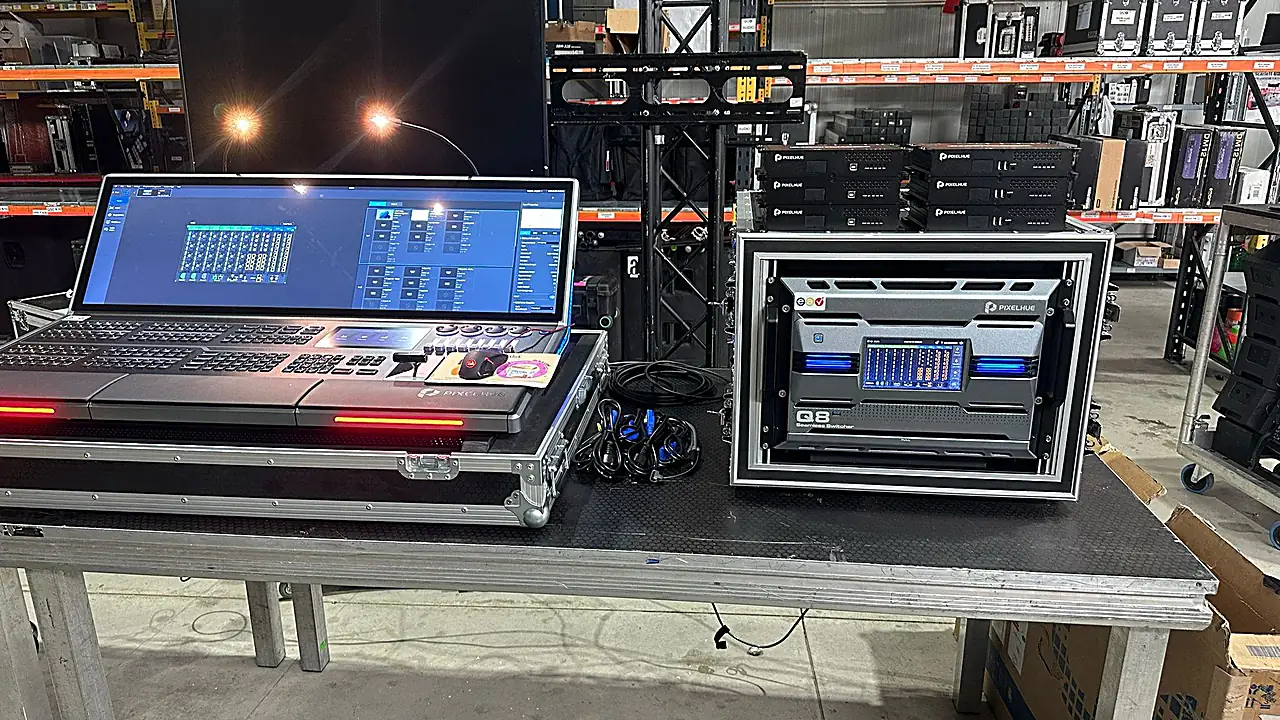
!Processor + console in an event staging area
Why Do Live Events Need Full-Link Backup?
Live events require full-link backup because risks are not confined to a single point. A show might have meticulously prepared content, but if the presentation laptop loses signal, the media server fails, the processor freezes, the output disconnects, the LED controller receives incorrect data, or the power supply flickers, the image on the screen will still be interrupted. For audiences in the venue, during broadcast, or livestream, visual disruptions are immediately apparent, leaving no time to "redo" a just-occurred scene.
The easily underestimated point is that each link depends on the ones before and after it. A good source is still risky if the processor lacks a backup path. A processor with backup is insufficient if the output uses a single line. Even with dual outputs, if the subsequent LED controller lacks redundancy, the system still has a single point of failure. Therefore, backup for event stages must be viewed as an operational architecture, not an afterthought.
A quick check is to ask: if the main source fails, who switches to the backup? Which preset is used? Is it previewed first? Where does the backup output connect? And is the signal synchronized after the switch? If the operations team cannot answer these questions before the show begins, the system might have backup equipment but lacks a true backup strategy.
What is Full-Link Backup in an LED System?
Full-Link Backup in an LED system refers to end-to-end signal path redundancy, rather than just backing up an isolated segment. According to technical documentation, this concept includes input backup, output backup, and device or whole-machine backup. In practical terms, the system must have a plan for when the input source fails, the output path encounters issues, and the central processing device no longer functions as expected. This approach is suitable for live productions because failures can occur at any layer.
Input backup addresses risks from the source device and the signal path entering the processor. For example, the same critical content might require a main and backup line, or at least a backup source prepared within a preset. Output backup addresses risks from the processor down to the LED system or the next stage. If only input backup exists and the sole output fails, the LED screen can still be interrupted. Therefore, these two layers must be designed together.
Device backup or whole-machine backup goes further: it's not just about redundant cables or ports, but about redundant processing devices. For critical events, this layer provides the operations team with a solution when the main processor encounters an error. The PixelHue Q8 is marketed by the manufacturer as supporting Full-Link Backup at the input, output, and device levels, along with 2+1 redundant power. Thus, the Q8 is well-suited for the core image processing role in systems requiring high reliability.
However, Full-Link Backup does not mean every project requires the largest configuration. The correct approach is to map out the signal flow, identify single points of failure, categorize which points need hot backup, which need operational scenarios, and then select the equipment. The pillar article What is PixelHue? helps position the processor correctly within this chain.

Which Links Need Redundancy?
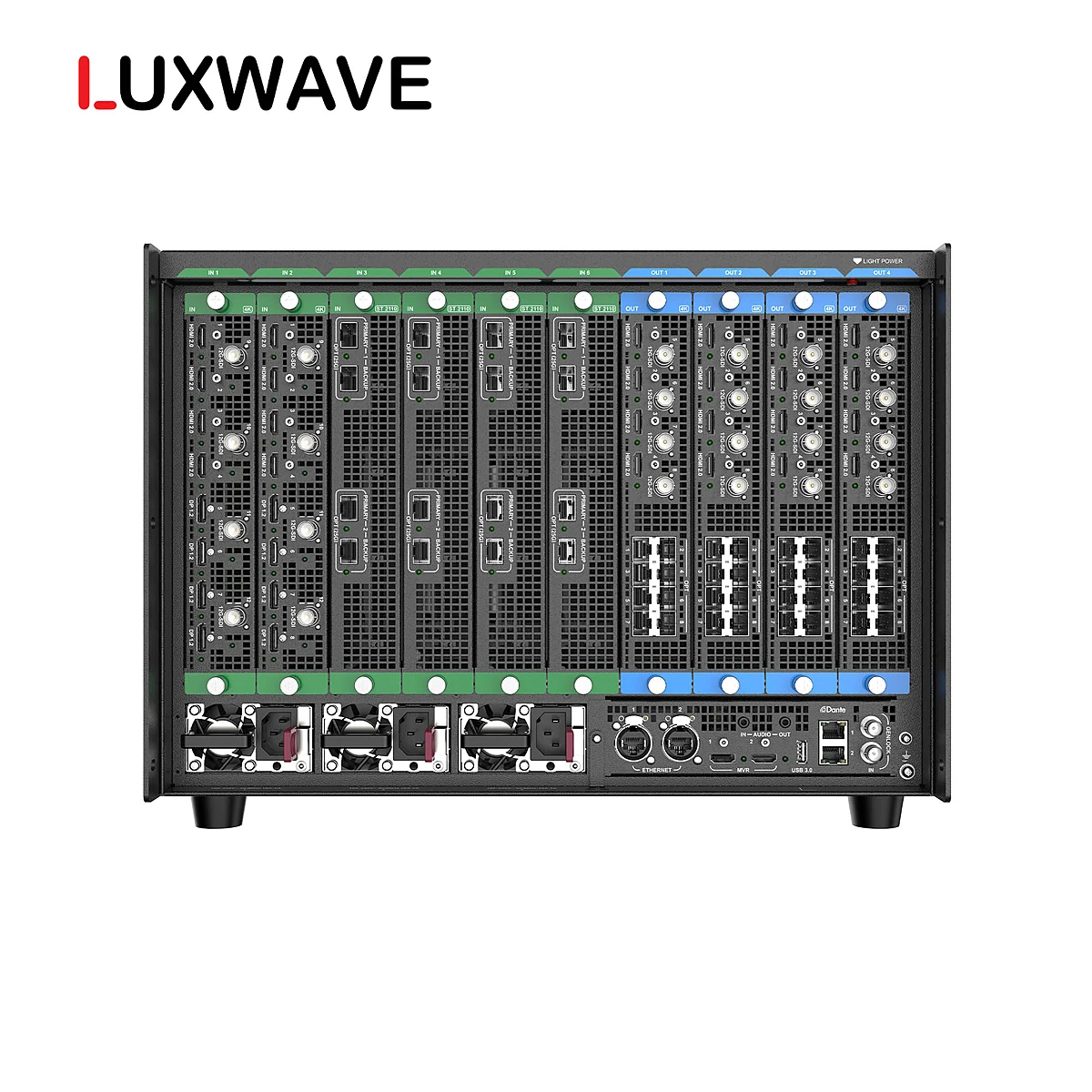
At least four groups of links require redundancy: input source, processing layer, output path, and power supply. For large LED systems, the LED control layer behind it, including cabinets/controllers or the signal sending/receiving system, should also be expanded. This division helps project teams avoid the misconception that a single "backup-enabled" device is sufficient. If any layer remains a single point of failure, the entire system risks interruption during a live show.
At the input source, distinguish between content sources and signal paths. Presentation computers, cameras, media servers, or playback devices may all require alternative options depending on their importance. Sources that determine the show's content should be clearly assigned to presets. For workflows with multiple sources and scenes, the PixelHue P20 might be suitable as a multi-source switcher, while the Q8 is more appropriate when the focus is on multi-screen management and full-link backup.
At the processing layer, identify which processor is central to the production. If all LED screens depend on one machine, a contingency plan must be in place for when that machine fails. The Q8's support for input/output/device backup and 2+1 power offers an advantage at this layer. However, equipment capability is only part of the equation; presets, layouts, main/backup line configurations, and operator permissions must be standardized before the show begins.
At the output path and the LED controller layer, check how the signal travels after the processor and whether the LED control layer has redundancy. Technical documentation states that the NovaStar H series offers N+1 hot-swap redundancy for cabinets/controllers, aiding backup at the signal sending/receiving level. Therefore, in many projects, PixelHue and NovaStar should not be viewed as mutually exclusive choices; they can occupy different layers within the same redundant architecture.
Power supply is also a critical link in operational terms. If the processing rack loses power, the signal will disappear even if the video cables are intact. The Q8's technical specifications mention 2+1 redundant power, a notable feature for live events. When reviewing a design, don't just ask "which path does the video take?" but also "what is the system's state if a power source fails?"

What Role Does GenLock Synchronization Play in Backup?
GenLock synchronizes the frame rates of devices within the signal chain. Backup provides an alternative path when the main path fails, but if the backup path is unsynchronized, the transition can still cause jarring, jumping images, or timing issues. For live events with cameras, large LED screens, or broadcast workflows, such glitches are highly noticeable because both the audience and cameras are viewing the same display surface.
Many project teams only check "if the image appears" during backup testing. This is insufficient. A backup path might display an image, but the transition from the main to the backup path may not be smooth if the devices are not frame-rate synchronized. GenLock brings devices to a common synchronization reference, enabling more stable transition operations.
Crucially, GenLock does not replace Full-Link Backup. It does not create additional input sources, outputs, or backup devices. GenLock is a synchronization layer that allows backup components to operate in a more orderly fashion during transitions. In other words, backup answers the question "is there another path to run?", while GenLock answers "does that path run in sync with the current system?". Lacking either creates a risk zone.
In broadcast studios, synchronization requirements are often stricter because LED images might appear within camera frames or enter the production pipeline. In command centers, GenLock is also important when multiple sources and screens require long-term stability. For live stages, good synchronization reduces visual jarring during critical scene changes.
What is the Pre-Event Preparation Process?
The pre-event preparation process should begin with a diagram of the main and backup signal paths, not by powering up equipment and troubleshooting on-site. The technical team needs to clearly map out which source goes where, identify the main and backup paths, which processor handles which layer, which output connects to which screen, and the power supply for each critical device. With a clear diagram, testing gains specific criteria.
The next step is preparing presets. Presets are not just for calling up attractive layouts; they are a method for reducing operational steps during an incident. If the main source fails, the operator should have a preset or a pre-agreed procedure for switching to the backup source. A good backup scenario transforms a failure into a short, clearly assigned sequence of actions that can be repeated.
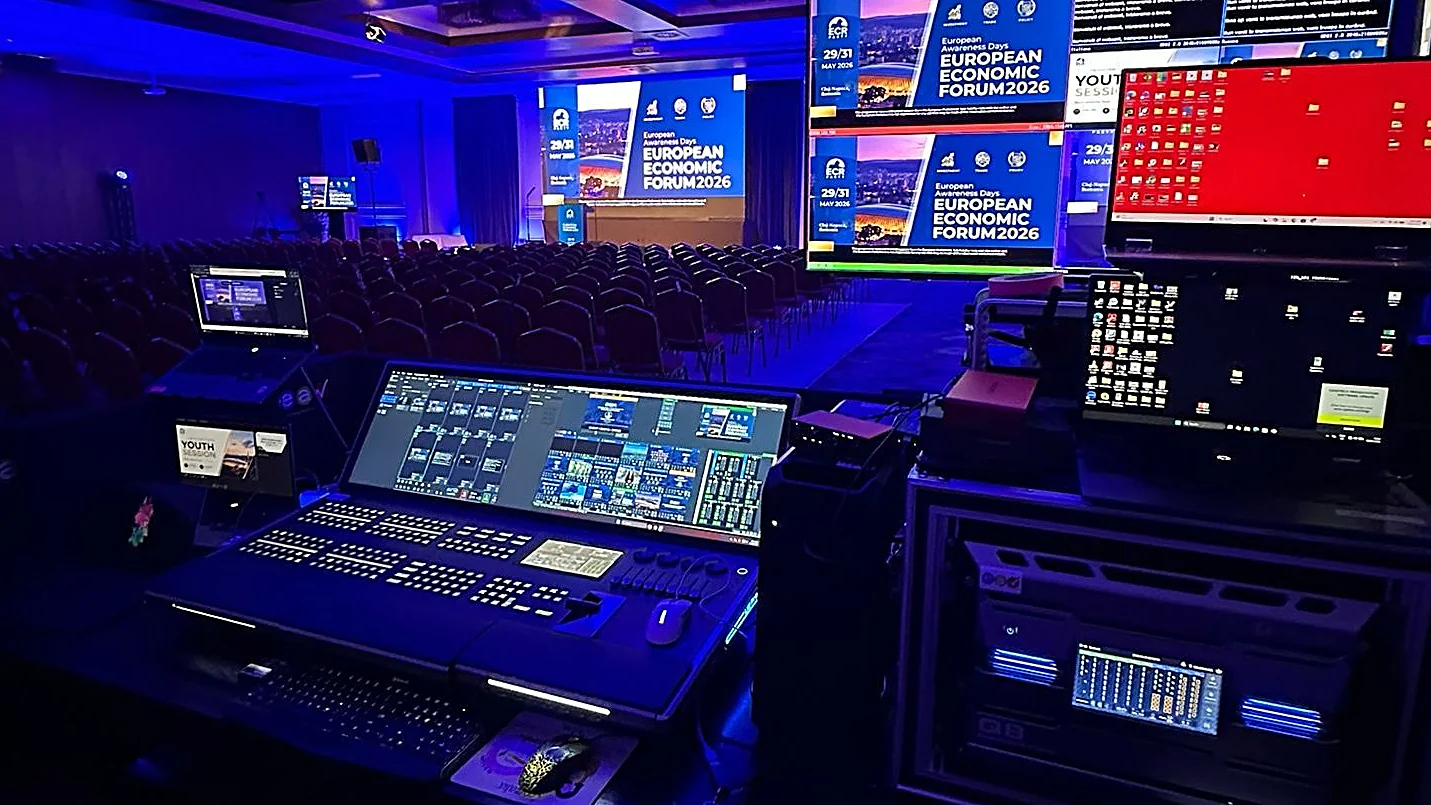
Preview/program monitoring is mandatory. During a live show, operators should not send unverified signals to the main screen. Preview allows checking sources, layouts, colors, framing, and the status of the backup path before taking it to program. If the system involves multiple processors or a combination of PixelHue and NovaStar, preview becomes even more critical for detecting mapping errors, output issues, or incorrect presets before the audience sees them. The article What's the Difference Between a Switcher and a Splicer? further explains the role of preview/program in this workflow.
Finally, conduct failure rehearsals. The operations team should simulate minimal scenarios: main source failure, main input path failure, main output failure, the main processor needing to switch to a backup option, and a power branch becoming unstable. Each scenario must be tested visually on preview/program and by observing the actual LED screen status. If only a checklist is followed without actual testing, the backup system remains theoretical.
Conclusion: What Principles Should Guide Backup Design?
The most important principle is to design backup based on single points of failure. Start from the source and move to the LED screen, asking at each segment: if this component fails, will the show continue? Who operates the switch? Where is it operated? How long does it take? And what does the audience see? This questioning approach is more practical than merely asking how many backup features a device has, as live event failures stem from operational chains, not just technical specifications.
For high-demand systems, Full-Link Backup should encompass input backup, output backup, device/whole-machine backup, redundant power, and GenLock synchronization. The PixelHue Q8 is a notable choice for the processor layer, as technical documentation confirms its support for Full-Link Backup and 2+1 power. The NovaStar H series can complement this at the LED controller layer with N+1 hot-swap redundancy. When both layers are designed for their respective roles, the system achieves better fault tolerance than simply duplicating a segment of the signal path.
The second principle is that operations must align with technology. Presets, preview/program monitoring, main/backup paths, GenLock, and transition scenarios need to be rehearsed before the event. Full-Link Backup is not a promise that failures won't happen; it's preparation so that when failures do occur, the operations team has a clear alternative path and can keep the show running under control.
If you are designing an LED system for an event, address the backup challenge from the signal diagram stage. Once the screens are rigged, cables are run, and the rundown is locked, adding redundancy becomes more labor-intensive and prone to oversights. The best solution is one that has been designed, configured, synchronized, and rehearsed before the audience enters the venue.
Pitfalls
Common mistakes
- Only backing up an input signal cable while neglecting the output, main processor, power supply, or subsequent LED controller layer.
- Having a backup path but lacking GenLock synchronization, causing image glitches or timing issues when switching to the backup line.
- Failure to prepare presets and operational scenarios, forcing operators to perform manual troubleshooting during a live show.
- Not rehearsing before the event; the backup system exists on paper but hasn't been tested on preview/program, and main/backup paths haven't been confirmed.
FAQ
Frequently asked questions
How does Full-Link Backup differ from standard backup?
Standard backup typically addresses a single point, such as adding a backup source or signal cable. Full-Link Backup considers the entire signal path: input, output, processing devices, power supply, and the subsequent LED control layer. This approach is ideal for live events, as a failure in any single link can disrupt the entire show.
What redundancy layers does the PixelHue Q8 support?
According to technical documentation, the PixelHue Q8 supports Full-Link Backup at the input, output, and device levels, along with 2+1 redundant power. This makes the Q8 suitable as a central processor in live events where having main and backup paths, along with failover options, is crucial.
Is GenLock mandatory in a live LED backup system?
GenLock is highly recommended when multiple devices are part of a live signal chain. Backup ensures an alternative path exists; GenLock ensures devices synchronize their frame rates. If the backup path is unsynchronized, the image can still glitch or desynchronize during transitions, especially in camera-shot or broadcast productions.
How does the NovaStar H series complement Full-Link Backup?
The NovaStar H series complements redundancy at the LED signal sending and receiving layer with N+1 hot-swap redundancy for cabinets/controllers. While the PixelHue Q8 handles backup for the source, output, and image processing device layers, the NovaStar H series extends the redundancy concept to the downstream LED control layer.
Is rehearsal before the event necessary for backup?
Yes. A backup plan is only effective when tested. The operations team must prepare presets, test preview/program feeds, confirm main and backup signal paths, simulate source failures, test transition procedures, and assign responsibilities before the event starts.
Does Full-Link Backup replace skilled operators?
No. Full-Link Backup provides a technical foundation to mitigate risks, but operators must still understand presets, preview/program feeds, main/backup paths, and incident response sequences. A well-backed-up system without clear operational procedures can still react slowly to failures during a live show.
References
- 1.ManufacturerGenuine PixelHue
- 2.NewsOfficial PixelHue Facebook
- 3.StandardPixelHue Master Academy — Official Training Materials